
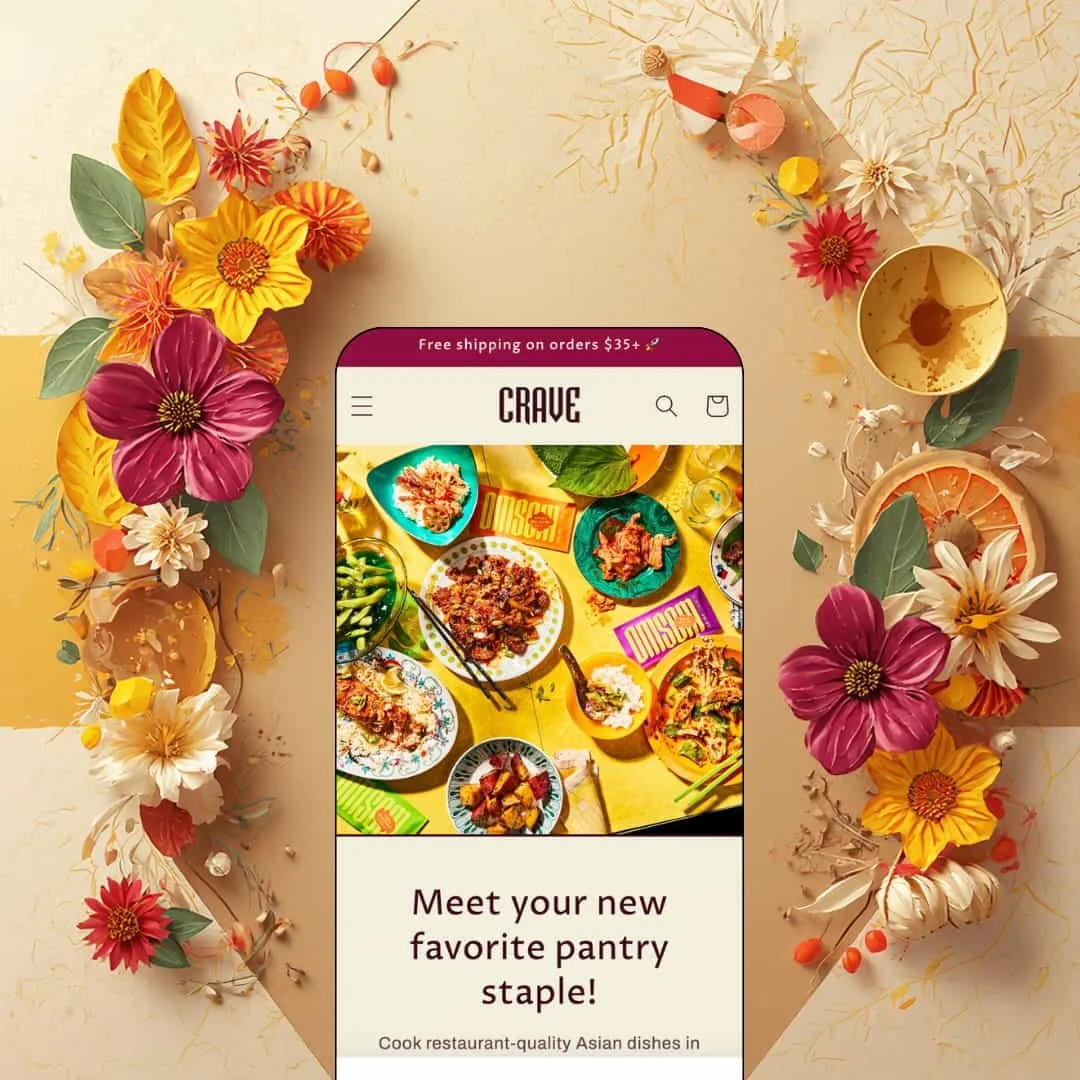
Most free Shopify themes play it safe: neutral palettes, quiet typography, design that stays out of the way. Crave does the opposite, leading with saturated color blocking and chunky drop shadows aimed at mobile-first snack, drink, and accessory brands. It's an Online Store 2.0 build from Shopify's own free lineup, launched in early 2022 and still actively updated, running a single food-staged demo. It also carries a Theme Store scorecard rough enough that I went in skeptical.
Food-label content lives in the product template
The Larb Starter page stacks Ingredients, Nutritional info, and Shipping as collapsible rows directly beneath the buy box, and the feature set extends the same treatment to usage instructions. No app, no custom code. For a merchant whose products legally need allergen and serving-size information on the page, that content gets a structured, tidy home instead of being crammed into an overloaded description field. Food-and-drink brands running 11 to 100 repeat-purchase pantry SKUs get the clearest payoff here.
A free theme with a recognizable face
Could you identify a free theme from one screenshot? With Crave, yes. The offset drop shadows, thick borders, and saturated color blocking give it an identity that does real branding work before a merchant writes a word of copy, and that matters when the price of entry is zero. Dawn hands you a neutral canvas; Crave arrives with the paint already chosen, which is exactly the right trade for snack, candy, and beverage brands courting younger, impulse-driven shoppers who buy on vibe first and specs second.
Product cards do quiet conversion work
Hover a card in the Other Goodies collection and a second product photo swaps in, sold-out items carry a badge, and quick buy handles card-level add-to-cart without forcing a page load. Small touches, real effect. Together they compress the browse-to-cart path in a way that suits low-consideration add-on catalogs, the socks-and-gadgets tier of a store, where a shopper cross-shopping three inexpensive items shouldn't need three full page visits to build a cart.
Every template carries a full content stack
Crave puts its sections-everywhere architecture to actual use: the collection template runs a three-article recipe feed, a newsletter block, and cross-collection links beneath the product grid, and product pages roll into brand-story imagery the same way. Catalog pages stop being dead ends. For single-brand food stores selling evergreen staples on a content-led model, recipe marketing and list building happen on the pages shoppers already visit, with no landing-page app in the stack.
The personality is a one-way door
Pick Crave and you're committing to loud: the shadows, thick borders, and color blocking run through every section, and the design settings tune the palette without ever making the theme quiet. Merchant feedback on the Theme Store also flags the slightly transparent body text as a readability strain across longer product descriptions. That reads wrong for considered purchases. Jewelry brands positioning at a luxury price point, exactly one of the two industries on Crave's own listing, will fight the theme's instincts from day one.
Variant merchandising hits a ceiling fast
One image per variant. That's the swap limit, confirmed on the theme's own listing where a merchant requested multi-image variant support and the designer logged it as a wishlist item rather than a setting. Collection cards keep things equally minimal, with no option to surface size or color availability beneath the title, so shoppers discover a colorway's existence only after clicking through to the product page. Apparel and accessory merchants running 100-plus SKUs across size-and-color matrices for cross-shopping browsers should treat this as a dealbreaker check, not a footnote.
The track record is genuinely bad
Crave sits at 33% positive across 15 Theme Store reviews, with seven of them negative. That's a brutal ratio. Shopify builds and maintains this theme itself, and the most recent complaint, from May 2026, is the classic one: the merchant's store didn't look like the preview, which points less at bugs and more at how much of the demo's charm depends on photography and staging a merchant has to replicate alone. Single-founder stores launching on a tight budget, without design resources to close that gap, should weigh the pattern before installing.
Mobile positioning without a sticky buy bar
This kept bugging me on the product page: the tagline promises a theme optimized for shopping on the go, yet the add-to-cart button scrolls off-screen the moment a shopper starts reading the description. Nothing pins it back. Quick buy on collection cards recovers some of that on browse pages, but not where a food shopper comparing allergens actually lingers, and not where a one-thumb purchase path would earn the mobile-first claim outright. Impulse-buy snack brands pulling mobile-heavy, social-referred traffic will feel this gap daily.
What it takes to launch
Expect a copy and imagery pass across the hero, homepage, and brand-story sections, navigation and menu building, press-logo sourcing, and per-product population of ingredient, nutrition, and usage rows. Merchants outside food and drink should add a broader restaging of the food-specific content areas on top.
-
What works in this preset
Scrolling the homepage feels like flipping through a well-art-directed cookbook. A two-slide hero of saturated food photography opens into a bestseller carousel headlined with an emoji, then a three-collection grid, and the pacing never lets a text-heavy section pile up before the next image arrives to reset the rhythm. It's confident staging. The demo understands that appetite is the product.
Vogue, Food Network, Food & Wine. The press slider pairs those three logos with short pull quotes, and parked right after a founder-style portrait section, it does testimonial and authority work in a single screen. Further up, an animated GIF sits inside an ordinary image-with-text slot and walks the rip-pour-fire product ritual in four beats. Cheap trick, big payoff. Motion in that slot draws the eye without a line of custom development.
I clicked into the apparel corner of the demo, and product pages carry their weight there too. The Larb Starter gallery runs five media entries with a thumbnail strip and modal zoom, while the crewneck renders its six sizes as tappable pills that grey out individually when a size sells through, so availability reads at a glance instead of hiding inside a dropdown.
Where it stumbles
Jewelry and accessories is one of two industries on the listing. The demo stages none of it. Every product, photo, and blog post is food, so a jewelry merchant evaluating fit is left doing the translation work in their head, guessing how shadow-heavy cards will read under macro shots of fine chains.
The listing promises cross-selling and recommended products, but I went looking for either in action and came up empty: demo product pages roll from the buy box straight into brand storytelling without a single upsell or related-products placement staged along the way. The feature may sit one toggle away. A demo should show its conversion tools working, not leave them to the imagination.
Crave is the loudest thing in Shopify's free lineup, a theme that treats visual personality as its core feature and trusts strong photography to do the selling.
The trade-off baked into that choice is range, since every design decision that makes a snack brand pop is the same decision that rules the theme out for half the stores that might otherwise grab a capable free option.
It rewards merchants who arrive with a defined brand voice and genuinely good product photography, and it quietly exposes those who don't. Test it against your own catalog and your own images on a trial store before you commit.
Rating
★ 6.6/10
-
Food-content rows, quick buy, lookbook-friendly sections, and press coverage cover a full launch feature set; single-image variant swaps and bare collection cards mark the ceiling.
5
-
One preset, a restrained settings surface, and plain-field content rows keep the learning curve short for a first-time store builder.
8
-
The slide-out menu and a dedicated filter-and-sort drawer are genuinely thumb-friendly; the buy button scrolling out of reach costs the score its last stretch.
7
-
Pages run lean, with restrained section counts, lazy-loading imagery, and no heavy animation payloads weighing down first paint.
8
-
Color and typography settings offer real range, but the shadow-and-border identity persists through every configuration; quiet and minimal aren't on the menu.
5
Frequently Asked Questions
-
The design language travels to any brand comfortable being loud, think phone cases, stationery, or novelty gifts. Budget extra staging time, since you'll be replacing demo content rather than adapting it.
-
Version 15.5.0 added support for standard storefront events plus a new section and block for product disclosures, useful for merchants in categories with labeling requirements.
-
Size chart support is on the official feature list, though the demo's apparel pieces don't stage one, so plan to build and attach your own chart content during setup.
-
Yes. In-store pickup display is part of the feature set, and once pickup locations are configured in the Shopify admin, availability appears on product pages.
-
You can pull the palette toward calmer colors in the editor, but the shadow-and-border styling is the theme's identity; if your goal is removing it entirely, a quieter base theme is the shorter path.
-
No. The listing includes mega menu support, but the demo header runs a simple three-link dropdown, so expect to configure and test the mega menu yourself before launch.
This review is based on hands-on testing of the publicly available preset demos of the Crave Shopify theme as of August 2026. Theme features, preset availability, and performance can change with subsequent updates from the theme developer.