
Most free themes ask you to forgive their gaps. Dwell asks something harder: to trust that Shopify's home-and-textiles entry in the Horizon collection, built on nested Theme Blocks and dressed in a serif palette borrowed from a linen catalog, is stable enough to run a business on. Forty-six merchants have weighed in on that question, and they don't agree. I spent an afternoon in the demo and another in the release history to work out which side has the better case.
A mega menu that sells the department, not just the link
Each of the three shopping departments in the header opens into a sub-link column plus a collection image tile: Bedding pairs Pillows & Duvets with a photo of the dusk duvet, Bath pairs Towels with a stacked makeup-towel shot, Decor pairs Throws with a knit close-up. In-menu promos belong to the same header block set, so a seasonal tile can sit beside the links without a separate section. That's a merchandising surface, not navigation. For home-goods brands running 30 to 100 SKUs across three to five departments, where the buyer is browsing rooms rather than hunting a SKU, the menu becomes a second homepage.
The sticky add-to-cart bar carries the variant with it
Dawn still sends you scrolling back to the buy box; Dwell pins a bar at the top of the product page with the thumbnail, the title, the selected variant written out as Full/Queen / Dusk, the price and an add-to-cart button that shows the quantity. Change the size and the bar changes with it. On a page that stacks a six-image gallery, three accordions and a recommendations row, that bar is the difference between a scroll and a sale. Considered-purchase brands with $150 to $500 line items and mobile-first traffic, bedding and mattress toppers especially, get the most out of it.
A filter rail built for a 47-item collection
The Bedding collection lists 47 items and the vertical rail meets it with Availability, a price range that names its ceiling at $780, eight color values and eleven category values from Bed Sheets to Toddler Beds, with nine sort orders including Most relevant and a column-grid toggle beside them. Infinite scroll takes over from pagination. On the Sale collection the category list grows long enough that a Show more control appears, which tells you the rail was designed to stretch. Evergreen catalogs of 100 to 500 SKUs across bath, bed and table, where shoppers narrow by color before anything else, will feel the difference on the first visit.
What's a room-set photo worth if nobody can buy from it?
Dwell's Shop the look section pins products onto a styled bed photo and lists them beside it, Down Pillow at $250, the duvet cover, the linen pillowcase set, each with its own Add or Choose button depending on whether the product has variants. The same two-state quick add runs on every product card, so a single-variant candle drops straight into the cart while a sized sheet opens a picker. It's one mechanism used everywhere. For brands that shoot rooms rather than products, and whose repeat buyers add a sham or a throw on impulse, the hotspot turns editorial imagery into a cart path.
Twenty of 46 merchants left a negative review
Dwell sits at 26% positive across 46 Theme Store reviews, with 14 neutral and 20 negative, and that is a weak record for a theme Shopify builds and maintains itself. The complaints are specific: a merchant with a 168-variant water table reported in June 2026 that the price stopped updating on variant change, another in July said the store wouldn't open inside Meta's in-app browser while ads were running, and several described shadows, borders and off-center elements appearing after an update. Some praise is real too. September's most recent review calls it super good for a free theme and credits the monthly fixes. Mid-market home-goods brands with 50 to 100 SKUs and paid-social traffic should read the negative column before the feature list.
Updates have rewritten merchants' color work
Version 4.0.0 removed global color schemes in favor of color palettes, and the June and July 2026 reviews describe what that meant on the ground: a bookstore reverting to a backup copy because none of its colors carried over, a second store that lost editor control over link colors, a third told that its code edits could not be included in the updated copy. The designer replied that the color picker had since been adjusted. Backups matter here. I noticed the fix addresses future updates and says nothing about the hours already spent. Single-brand stores with a few hundred products that customize per template, and agencies that hand a finished store to a client and leave, carry the most exposure because the update button is the one thing a client will press unsupervised.
The large-catalog pitch doesn't survive contact with a large catalog
The Theme Store copy says the galleries showcase large catalogs beautifully, while the same listing files Dwell under Some (11–100+) products. A merchant with 10,000-plus SKUs reported in June 2026 that heavy client-side JavaScript caused Googlebot rendering timeouts, with the live test in Search Console showing an empty product grid. The designer's reply thanked them for confirming that the theme was working well for such a large catalog. It reads like an answer to a different review. Multi-brand retailers past 500 SKUs who depend on organic search for collection-page traffic should treat this as a scale ceiling until Shopify says otherwise.
What it takes to launch
Expect a copy and imagery pass across the hero, collection tiles and the About, FAQ and care pages, a compare-at price audit across the Sale collection, a size-chart and materials build-out per product type, and a check of translated interface strings before launch.
-
What works in this preset
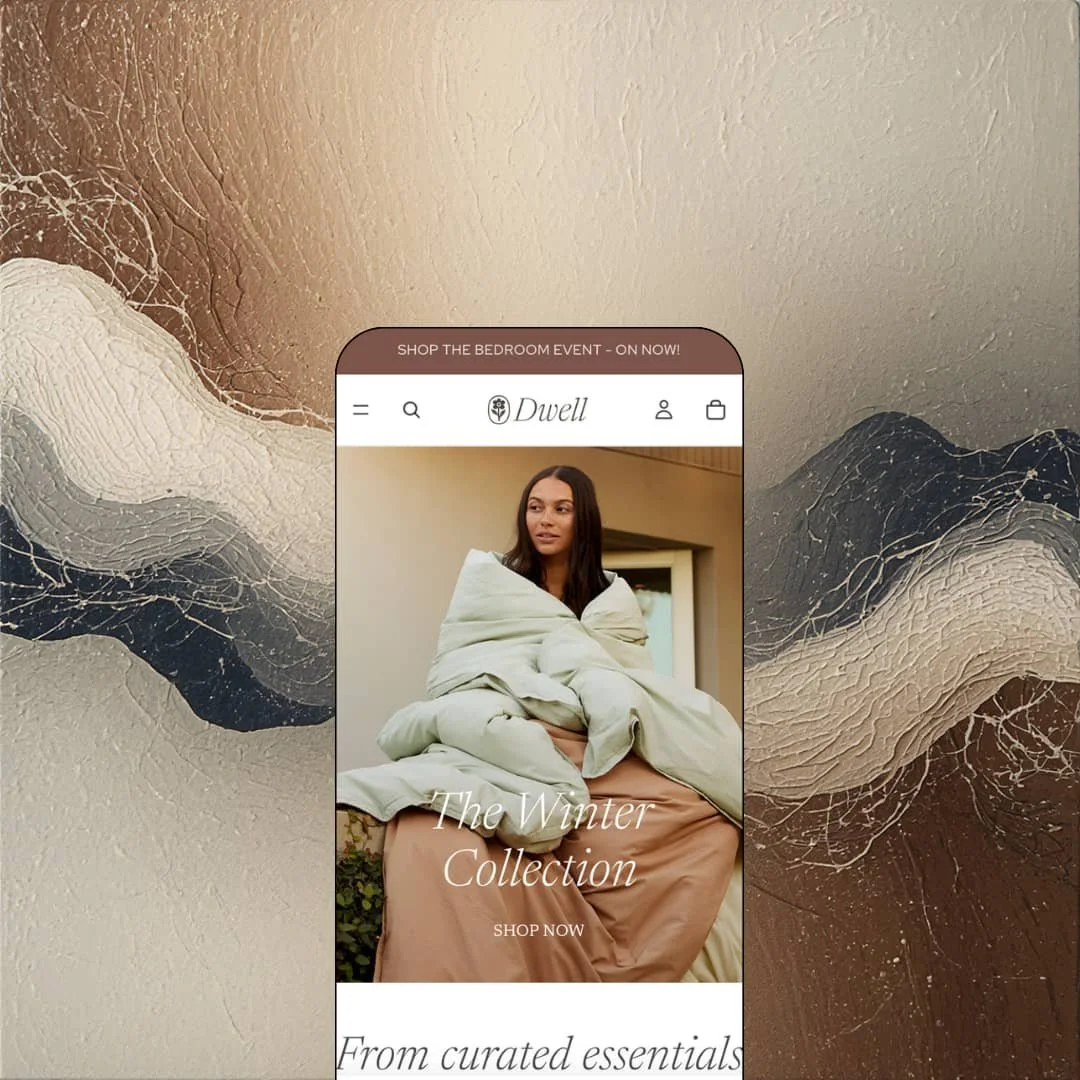
The homepage reads like a catalog you'd leave on a coffee table. A full-bleed winter bedroom hero carries an italic serif headline, The Winter Collection, over a single line of intro copy, and nothing below it shouts. Six bedding products follow in a featured collection, then a five-tile Shop by Collection row, then an accessories carousel that loops Robes, Slippers, Throws, Candles and Bath mats before an image-with-text block promotes The Ultimate Set as the bestseller. Warm neutrals do the work. It's restrained without ever looking empty.
"Shop the bedroom event - on now!" sits in the announcement bar and links straight to the Sale collection, which is the first hint that Dwell wants to sell rather than decorate. The header stacks three departments, Sale and an Inspiration blog, with a More overflow for anything that doesn't fit the row. Open the search and four products are already waiting, Birch Coverlet through Boucle Round Pillow Cover, each with its sale price and a second hover image so the overlay looks stocked before a single letter is typed. Nobody has to know what to search for.
The product gallery on the Brushed Cotton Duvet Cover runs six images, three of the Dusk colorway in lightbox, studio and detail crops, then Moss, Bone and White, with a thumbnail strip, numbered dots and a lightbox that opens at full width. Below the buy button, two trust lines read Reliable shipping and Flexible returns, and three accordions cover Details, Materials + Care and Shipping + Returns. I clicked through all six. The detail crop is the one that actually sells brushed cotton.
Where it stumbles
Bedding is a dimensions business, and the demo doesn't act like it. The duvet cover offers Full/Queen against King/Cal King with no measurements anywhere on the page, the Materials + Care accordion is one generic sentence about premium fabrics, and the Size chart the Theme Store lists never appears. I went looking for it on three product pages. For a $310 cover, that's the information a buyer wants before the add-to-cart button, and the staging leaves it out.
The Theme Store files Dwell under Jewelry & Accessories and Food & Drink alongside Home, and the demo shows neither. Every collection is bedding, bath or decor, so a candle maker or a ceramics studio gets a hint of fit from the Decor department while a jeweler or a coffee roaster is left to imagine how the palette carries.
Dwell is Shopify's argument that a free theme can look like a linen catalog and behave like a storefront, and on the demo it wins that argument.
The trade-off is that its polish is front-loaded into the surfaces a shopper sees, while the layers a merchant lives in, the editor, the update path, the behavior at volume, have had a rougher year than the homepage lets on.
It positions itself as the warm-neutral counterpart in the Horizon collection, less a blank canvas than a furnished room. Take it for a curated home-goods catalog with someone on hand to test each update on a duplicate before publishing.
Rating
★ 6.8/10
-
Quick add, product hotspots, the sticky bar and a deep filter rail are all native; social proof and subscriptions still route through apps.
7
-
Theme Blocks nesting gives the editor real depth, but the color-palette migration and update conflicts cost merchants real hours in 2026.
6
-
Hamburger menu on every touch device, separate mobile media in the hero, thumbnail pagination in the gallery; in-app browser complaints persist in the reviews.
7
-
The homepage runs lean with lazy-loaded imagery and a restrained section count; large-catalog collection pages are the reported weak spot.
7
-
Nested blocks, a hero with several layout presets, a split showcase, a layered slideshow and a comparison slider, all inside a palette that stays warm.
7
Frequently Asked Questions
-
A slide-out cart with cart notes, a discount code field and an empty state that offers login or a Continue shopping link. There's no free-shipping progress bar in the feature list, so that's an app add.
-
The release notes mention swatch rendering for combined listing products, but Combined Listings is a Shopify Plus feature. On standard plans, colors live as variants with swatches on the card and the product page.
-
Pre-order and a stock counter are both listed and both are theme-level blocks. The demo doesn't stage either, so expect to switch them on per product rather than find them already running.
-
A quick order list section and volume pricing display exist, but quantity pricing is flagged Shopify Plus on the listing. Below Plus you get the layout, not the price rules.
-
English, French, Italian, German and Spanish for theme strings such as buttons and form labels. Product titles and descriptions still go through Shopify Markets or a translation app.
-
Roughly thirty releases since the May 2025 launch, the latest on August 31, 2026. Recent notes lean toward bug fixes and CSS bundle trimming rather than new sections.
-
The pickup block is part of the product page, but the demo has no location configured, so it stays hidden. It renders once a pickup location exists in the store admin.
This review is based on hands-on testing of the publicly available preset demos of the Dwell Shopify theme as of September 2026. Theme features, preset availability, and performance can change with subsequent updates from the theme developer.