
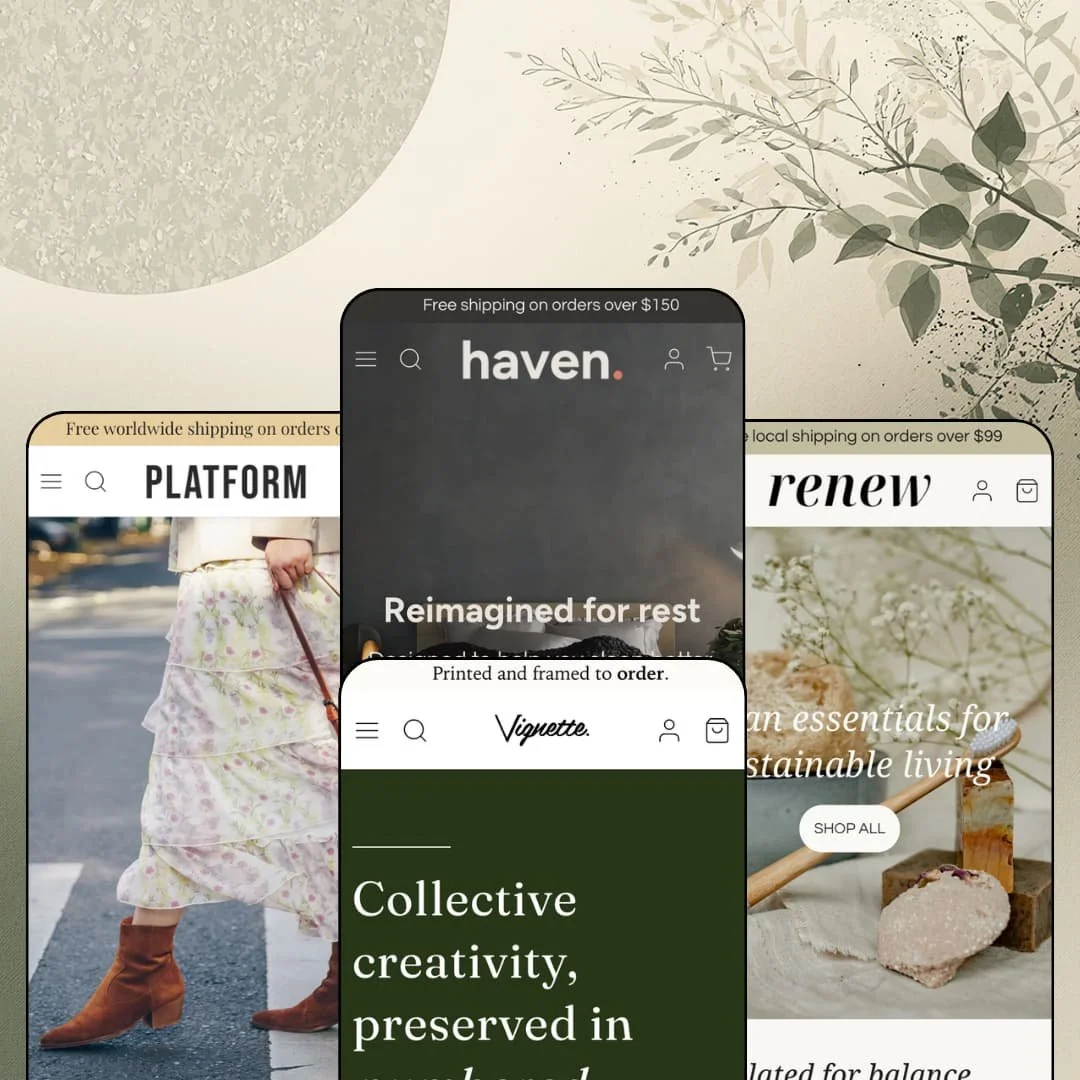
Choosing between near-identical products is where a lot of carts quietly die. Haven, from the Canadian studio Hex Switch, is built around that exact moment, with product quizzes, side-by-side comparison sections and shoppable scene images that help a buyer decide instead of just browse. It runs on Shopify's Theme Blocks architecture, so content blocks nest inside sections and AI-generated blocks slot in beside the developer's own, and its four presets cover bedding, art prints, footwear and a refill shop. At $260, the open question is whether a theme this young can carry that ambition across four very different storefronts.
Guided-selling sections built into the theme
Haven's library includes a Product quiz, a Product compare section and a Collection compare section, three tools aimed at the same problem. Each one is built in the theme editor with the merchant's own questions, criteria and product picks, so the logic lives in the theme instead of in a third-party widget with its own styling and script weight. That matters. For beauty, bedding or supplement brands with 20 to 100 SKUs where several products overlap and shoppers need a nudge toward one, this family replaces what would otherwise be a quiz-app install plus a comparison-table build.
A cart drawer that does the upselling
The slide-out cart stacks a free-shipping progress bar, a row of suggested products with their own add buttons, and an order-notes field above the checkout button. Thresholds are merchant-set, $150 on the footwear demo and $99 on the refill shop, and the in-cart upsell row only arrived with the December 2025 release, which tells you the developer is still investing in this part of the theme. Small baskets grow. Impulse-friendly stores whose average order sits just under a shipping threshold, think accessories, home essentials or beauty under $50 an item, get the clearest lift.
Theme Blocks architecture with AI block support
Set Haven beside Dawn and the generational gap shows up in the editor before it shows on the storefront. Dawn's blocks belong to the section that defines them; Haven's heading, text, button, image, icon and spacer blocks are shared theme blocks that nest inside sections such as Image with text and Featured collection with text, and the documentation has a dedicated page for blocks generated through Shopify Magic. No developer required. Founder-run, single-brand stores with catalogs under 100 products and no agency on retainer get the most from this, because a missing layout element becomes a prompt or a drag instead of a code ticket.
Twelve releases in twelve months
Worried about buying a theme that's barely a year old? The release log is the best answer Haven has: twelve versions between August 2025 and September 2026, moving from Safari and iOS fixes in the first month to real additions such as swatches on product cards, two video sections and spacing controls for the logo grid. Bugs get named and closed. For evergreen, single-brand stores that plan to sit on one theme for three or four years, a visible maintenance habit is worth as much as any single section.
Social proof is display-only
Haven ships a Testimonials section and a Quotes section, and both are hand-typed text. No star ratings appear on cards or product pages in any of the four demos, and the theme brings no review collection of its own, so every quote on a Haven storefront is something the merchant wrote into the editor. A quote without a source is decoration. For considered-purchase stores in the $100-plus price band, such as bedding, framed art or leather footwear, a review app like Judge.me or Loox is a launch requirement, not a later upgrade.
No urgency or scarcity tooling
I scrolled through the Theme Store feature list twice to be sure. Promo popups, promo banners, promo tiles and product badges are there; a countdown timer, a stock counter, back-in-stock alerts and pre-orders aren't. Haven sells calmly. For drop-model streetwear labels, flash-sale stores or limited-run makers whose revenue depends on a visible clock or a "three left" line, that calm means an extra app for each missing mechanic, and the theme's visual polish won't cover the gap.
No map or store locator section
In-store pickup is on the feature list, but the section library stops short of the storefront side of physical retail. Haven's documentation lists 28 general sections, and none of them is a map, a store locator or an opening-hours block, which leaves addresses as plain text columns with outbound links. It's a real gap. Multi-location retailers, refill shops and cafes running click-and-collect, anyone whose online store exists partly to send people through a real door, will end up embedding a map by hand or adding a locator app.
What it takes to launch
Expect one to two days: a copy pass across product accordions, FAQ entries and cart shipping thresholds, fresh photography for the full-width and hotspot sections, then attribute population for the comparison sections, result collections for the quiz, and a mega menu rebuilt around your own catalog.
-
What works in this preset
Four sheet sets that look almost identical in photos. That's the merchandising problem this demo takes on, and the homepage answers it with sequence instead of volume: a full-width hero, a slow text marquee, a four-product sheet row, then a materials grid that explains TENCEL, organic cotton, bamboo viscose and down-alternative fill in one short card each. By the time the journal posts arrive at the bottom, the page has taught you the vocabulary you need to pick a fabric.
I clicked into the image comparison section first. It's a before-and-after slider dropped mid-page under a line about thoughtful bedding, and for a category where the pitch is texture and drape it does work that a paragraph can't. Right above it, a shoppable bedroom scene tags the Crisp Sheet Set, the Float Pillow and the Loft Duvet, so the styled bed becomes a three-item basket.
The Sheets menu opens into a panel with product-level links to all four sets plus two lifestyle image tiles, which suits a catalog this small because shoppers can skip the collection page entirely. On the product page, size runs as Double, Queen and King buttons with three color swatches beneath, and a "Complete Your Set" row of pillows and duvets sits directly under the accordions. A country selector rides in the header too.
Where it stumbles
The homepage copy promises a set for hot sleepers, softness lovers and crisp-hotel fans, yet the demo stages those four products as a plain product row. Haven's own Product compare section would fit this slot exactly, and merchants picking this preset will need to add it and fill in the comparison attributes themselves. Bed sizes also differ by country, and no size chart is staged beside the Double, Queen and King buttons, so that's one more block to wire up before launch.
-
What works in this preset
No product photo appears on the first screen. The demo opens on a line of italic type about numbered editions, then the featured artist's name, and only then a row of prints, which is the right pacing for a collective selling $180 framed watercolors to people who want to know who painted them.
Every print card leads with the artwork hanging in a room and swaps to the bare illustration on hover. I noticed the order matters: scale and context first, brushwork second, which answers the "how big is this on my wall" question before a shopper asks it. The "Art in Place" section repeats the idea at full size, tagging three prints inside one interior shot.
The product page handles three option axes without feeling like a form: frame color as swatches, inner border as a Matted or Unmatted choice, and five sizes from 12 x 16 up to 48 x 64 inches with a "Framed to Fit" link beside the size label. Below the button, two icon rows cover frame construction and artist payouts. Short and useful.
Where it stumbles
The whole pitch is scarcity: one hundred hand-numbered prints, never reprinted. Nothing on the product page shows where an edition stands, because Haven has no stock counter or editions-remaining display to stage, so a "37 of 100 left" line has to come from an app or custom work. Artist profiles, meanwhile, live as blog posts and one standalone page. That reads fine for four artists, but there's no dedicated creator template tying an artist to their prints.
-
What works in this preset
Footwear stores live or die on the size row. Platform's runs eight half-size buttons from 6 to 9.5 with a size guide link sitting right on the label, and color sits above it as three swatches, so Black, Tan and Grey are one product with one URL instead of three near-duplicates cluttering the grid.
I went looking for the filters next. The Shoes collection opens a drawer with color, size, a price range and availability, each option carrying a live product count, plus nine sort orders. On the cards themselves, the second image is the alternate colorway, so a hover on the Verona Loafer shows tan where a second camera angle would normally sit.
The slideshow hero loads a separate portrait crop on phones instead of squeezing the desktop image, a small sign that mobile got its own art direction. Further down, two Facet grid sections mix image tiles and text cells in irregular rows, and a shoppable outfit shot pins the Aurelia Bag and the Lucia Boot. Inside the buy box, a "Pairs well with" pair of bags sits under the description.
-
What works in this preset
What's your sustainability style? That's the headline of a four-question quiz sitting mid-homepage, and it's the most interesting thing in any of the four demos: answers sort shoppers into three profiles, from "Getting started" to "Refill pro", and each profile ends in its own curated product set with prices and unit pricing intact.
Right below the hair care row, a comparison block lines up Shampoo, Shampoo Bar and Dry Shampoo Powder against three merchant-defined criteria: Cleansing Power, Travel Friendliness and Eco Impact. It's honest merchandising. Three formats of one product type are exactly where shoppers stall, and the block turns that stall into a decision without sending anyone to three separate product pages.
Every card carries unit pricing, $11.50 per 50ml on the cleanser and $0.66 per 100g on the dishwasher tabs, set in a quiet second line under the price. On the product page a "Refillable" tag sits above the title, size runs 2oz, 4oz and 8oz, and two icon badges mark natural ingredients and recyclable packaging. A six-logo press strip rounds out the homepage.
Where it stumbles
A refillery is a repeat-purchase business, and the demo never stages a way to repeat. There's no subscribe-and-save option on the Day Cream page, and there can't be without a subscription app, so merchants buying this preset for the refill model should budget that install from day one.
Presets that grow with the feature set
Read the four demos in the order they were built and they track the release log. The bedding store shows the launch-era library, while the refill shop, the newest of the four, is organized around sections that didn't exist until January 2026. New presets here aren't color swaps. Each one is the developer demonstrating what the theme has learned since the last.
Product pages that can close on their own
All four product templates end the same way: icon rows under the button, a cross-sell row, then an FAQ accordion that answers shipping, care and fit before the footer. The pattern holds whether the product is a $10 cream or a $210 framed print. A shopper arriving cold from an ad lands on a page that doesn't need the homepage to make its case.
Proven on small catalogs only
None of the four demos carries more than a few dozen products, and the largest collection I opened held nine. Filters, infinite scroll and a recently viewed section are all present, so nothing suggests Haven breaks at scale, but nothing demonstrates it either. Stores with 500-plus SKUs are buying on trust here.
Hungry for photography
Full-width heroes, split heroes, hotspot scenes and before-and-after sliders all assume a professional shoot. The bedding demo borrows a real brand's photo library for a reason. With supplier packshots on white, the same layouts go flat quickly.
A young record
Haven has been on the Theme Store for about a year and holds 100% positive across 7 reviews. That's a clean sheet and a small sample, and buyers should weigh it as both.
★ 8.0/10
Rating
-
Quiz, two compare sections, shoppable scenes and a stacked cart drawer; no countdown, stock counter or store locator.
8
-
The slideshow takes a dedicated mobile image, footer blocks can collapse into accordions, and collection filters open as a drawer.
8
-
Shared theme blocks and AI block support keep layout changes inside the editor, and the documentation splits cleanly into settings, sections and blocks.
8
-
Homepages run lean, with lazy-loaded imagery and theme-built sections sitting where third-party widgets would otherwise load.
8
-
28 general sections with per-section color schemes and custom text widths; dense marketplace or urgency-led looks aren't what it's built for.
8
Frequently Asked Questions
-
Yes. The theme's documentation has its own page on adding blocks generated through Shopify Magic, and they sit alongside Haven's built-in blocks inside sections.
-
Since version 1.2.0 the button labels and form text ship in German, Spanish, French, Hindi, Italian, Japanese, Brazilian and European Portuguese, Swedish and Simplified Chinese, on top of English. Product content still needs translating on your side.
-
Version 1.5.0, released September 2026, added a custom line-item properties block for product pages and the Featured product section, so personalization fields no longer need custom code.
-
The Featured product section carries images, variant pickers, pricing and the buy button, so a campaign page can take the order without a detour through the product template.
-
There's an option to collapse every footer block into accordions on mobile, and the footer accepts an image grid block with its own column control, which the art-print demo uses for a social feed look.
-
Hex Switch Studios is based in Victoria, British Columbia. Documentation and a public changelog live at support.hexswitch.com, with a contact form for support requests.
This review is based on hands-on testing of the publicly available preset demos of the Haven Shopify theme as of September 18 2026. Theme features, preset availability, and performance can change with subsequent updates from the theme developer.