
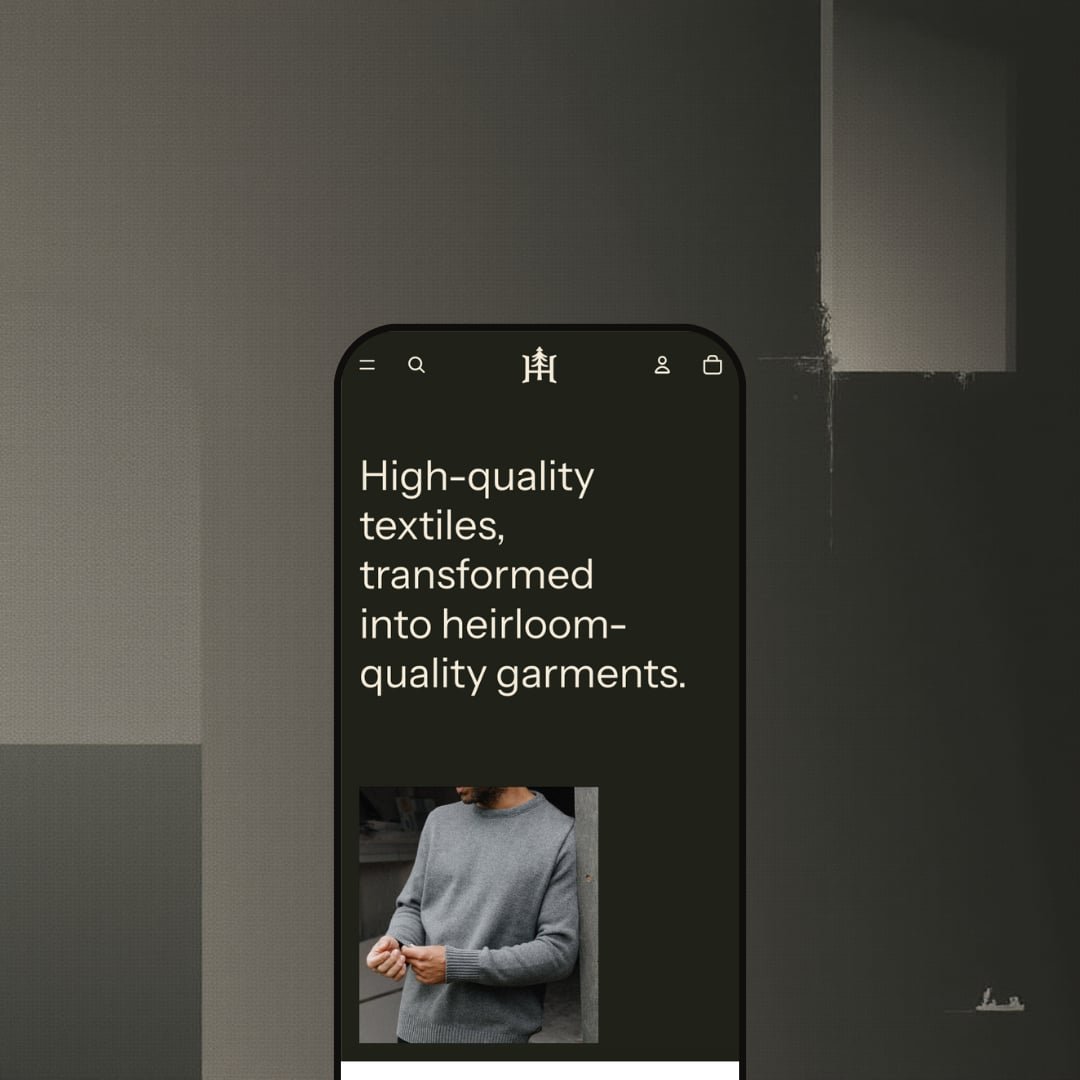
The loudest element on this homepage is a sentence, not a picture. Heritage opens with "High-quality textiles, transformed into heirloom-quality garments" in large type before it shows a single product, and that ordering tells you what the theme is for: brands whose story sells the goods. It ships free from Shopify as part of the Horizon collection, built on the Theme Blocks architecture with nested blocks and mobile-first layouts. Whether that editorial confidence survives contact with a real catalog is what I spent the demo finding out.
A gallery that sorts itself by colourway
The Britannia Coat carries 45 images organized by colour, Sandstone through Storm, Light Grey, Pacific, Wilderness and Gold, so picking a swatch narrows the gallery to that finish instead of dumping every shot into one carousel. Six colourways, one product. For multi-colourway apparel with 30–100 SKUs and a considered-purchase buyer who wants to see the exact finish on a body before spending $200 or more, that's the product page doing the work that would otherwise mean duplicating the listing six times.
Feature sections built for a product story
Two homepage sections take a single product, the Wool Blanket and the Cozy Beanie, and give it a full-bleed image, an eyebrow label, a paragraph of provenance copy and two buttons: Shop now to the product, Explore the collection to its family. That's a specific pattern. It lets a hero product carry the brand narrative while still routing browsers into the range, which is exactly what a single-brand, craft-positioned label with an evergreen line of under 50 core styles needs on a homepage.
Collection browsing that handles colour depth
If your catalog lives or dies on colour, test this page first. The Shop Men collection lists 30 items with a 12-value Color filter beside Availability and Price, nine sort orders including Most relevant, a column-grid toggle to change density, and a mid-grid promo banner that lifts the Britannia Coat out of the list as a Bestseller feature. Cards carry swatches. Restock-driven apparel brands with cross-shop-heavy buyers and 50–100 SKUs get a collection page that filters the way their shoppers actually think.
A buy bar that follows the shopper
Dawn still makes you scroll back to the top to add a coat to the cart; Heritage doesn't. Scroll past the buy-box and a sticky bar appears with the product thumbnail, the title, the selected variant (Sandstone / 0) and an Add to cart button carrying the quantity. It's one component. On mobile, where a long gallery and three accordions push the fold a long way down, that bar is the difference between a shopper who buys mid-scroll and one who gives up, which matters for mobile-heavy, impulse-leaning accessory purchases as much as for $300 outerwear.
The cart drawer has a known scroll-jump bug
A merchant reported in April 2026 that opening and closing the cart drawer after adding a product throws the page back to the top, and the designer's reply confirmed it as a known issue under investigation. The August 4.1.5 release notes say "multiple bug fixes" without naming it. A cart that loses your place loses sales. Mobile-first apparel stores with impulse-leaning buyers should test this on a phone before publishing, because the shopping flow it breaks is exactly the one those stores depend on.
Customization runs through code, not the editor
Two merchant reviews from January and August 2026 land on the same point from opposite ends: one says routine branding changes require direct code edits that the documentation doesn't cover, the other, from someone building a custom palette, says the colour-scheme system only assigns background and foreground for a structure this complex. Neither is a beginner complaining. For solo founders and single-brand teams under 50 SKUs without a developer on call, the nested-block flexibility Shopify advertises comes with a learning curve the free price tag doesn't warn you about.
An editorial layout with an editorial appetite
Every section that makes the demo feel expensive is a photograph: the three collection tiles, the two full-bleed feature blocks, the Styled With strip, the 45-shot gallery. Strip those out and the layout thins fast. Merchants with supplier photos on white, a drop-model launch cadence, or a 500-SKU catalog that can't be shot editorially will find Heritage exposes the gap rather than covering it, and no section setting substitutes for a missing image library.
What it takes to launch
Expect a copy pass across the hero statement, feature-section provenance paragraphs and footer mission copy, plus a size-chart build and a re-pricing pass if you inherit the demo's sale staging. Roughly one to two days for a catalog that's already photographed.
-
What works in this preset
You scroll past the statement and land on three collection tiles, Shop Men, Shop Women and Latest, each a full photograph with the label sitting on it. That's the whole top of the funnel. The menu behind the hamburger mirrors it: Men and Women each open into Apparel, Outerwear, Shirts & Woven, Tees & Jersey and Hats, with Accessories as a flat third entry and a More overflow for anything beyond, so a 30-item catalog reads like it has departments without pretending to be a warehouse. I liked how little the header asks of you.
Sizes 0 through 12 as plain buttons, one colour swatch row, a quantity stepper, Add to cart. The Britannia Coat buy-box is that spare, and it works because the trust cues are moved below it: a four-item icon row (Made with care, Heirloom quality, Satisfaction guaranteed, Classic styling), then Materials, Care and Details accordions, then a Styled With strip that pulls a full-bleed lifestyle image into the page ahead of the recommendations. I noticed the page never asks the shopper to scroll back up for the price.
The footer carries more of the brand than the header does. An About us column leads with the one-line mission, three menu columns (Shop, Support, Our story) sit beside it, and a five-icon social row runs under the copyright line, which for a free theme is a properly designed footer rather than a link dump. It's calm and it's complete.
Where it stumbles
Size chart is on the feature list. The Britannia description tells you to "see our sizing chart" and there isn't one on the page; the Fit guide linked in the footer is four paragraphs of reassurance without a single measurement. For coats priced at $325 the demo leaves that job to the merchant, whether as a metafield table or a modal, and shows neither in use.
The listing files Heritage under Jewelry & accessories and Food & drink; the demo stages neither. What it stages is a wool-apparel brand running a storewide half-price sale, Britannia $325 to $162.50, Berlino $198 to $99, which sits oddly under a headline about heirloom quality. That's a staging choice, and it undercuts the theme's own pitch.
Heritage is Shopify's free demonstration of a brand-story storefront on the Theme Blocks architecture: a sentence before a product, photography as structure, commerce tucked underneath.
The trade-off is scroll distance; on the demo the first Add button sits well below the fold, a deliberate bet that a shopper who reads the mission will pay for the coat. The Theme Store rating stands at 54% positive across 13 reviews, with four negative.
For a label that has a story and the pictures to carry it, this is the free theme that takes both seriously; for anyone else it's a handsome shell waiting for content.
Rating
★ 6.6/10
-
Colour-grouped gallery, sticky buy bar, in-grid promo banners and 12-value swatch filtering ship in the box; reviews and size tables don't, so both need an app or a metafield build.
7
-
The editor covers layout well, but two 2026 merchant reviews report branding and palette changes pushing them into code, and the linked documentation is Shopify's generic help center.
5
-
Mobile-first layouts, a hamburger menu with two-level drill-down and the sticky buy bar do the job; the reported cart-drawer scroll jump holds the score down until it's confirmed fixed.
7
-
The homepage runs lean: six sections, lazy-loaded imagery and no third-party scripts in the demo.
8
-
Nested blocks allow asymmetric galleries and editorial stacking, but a merchant building custom colour modes reports each scheme exposes only background and foreground.
6
Frequently Asked Questions
-
Two levels in the demo: Men and Women each open five sub-collections in a single column, with no promo tiles or featured products, even though in-menu promos are on the feature list. Merchants who want a merchandised menu will build it themselves.
-
A Latest rail of four products with prices and hover images, so a shopper who taps search without a query still has somewhere to go. It's a small thing that keeps the overlay from feeling like a dead end.
-
Single-variant items show an Add button; multi-variant items show Choose, which opens a picker before anything goes in the cart. Both sit under the swatch row on every card in the demo.
-
All three are listed as features, and none are staged: every item shows as in stock, no product carries a pickup block, and nothing is flagged as pre-order. Expect to configure each from scratch.
-
Yes. The demo runs one called Field notes, linked from the footer's Our story column, and the article layout uses the same wide-image editorial treatment as the homepage feature sections.
-
It launched in May 2025 and reached version 4.1.5 on August 31, 2026, so updates land regularly. The most recent release note lists bug fixes and performance improvements without itemizing them.
This review is based on hands-on testing of the publicly available preset demos of the Heritage Shopify theme as of September 2026. Theme features, preset availability, and performance can change with subsequent updates from the theme developer.