
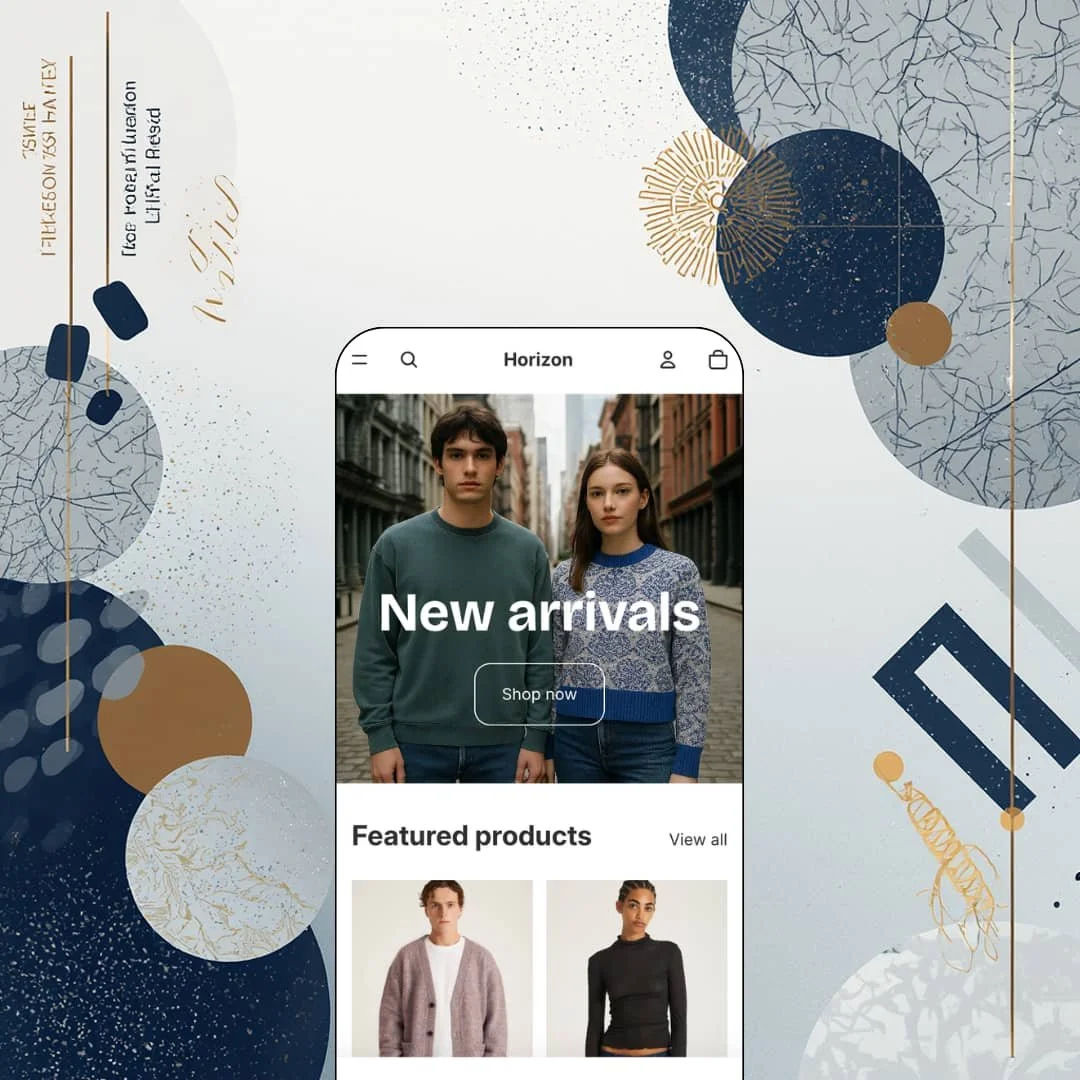
Most free themes are built to be outgrown. Horizon was built to be the thing every new Shopify store starts from, which is why it ships as the first Theme Blocks generation theme the platform maintains itself, with blocks nesting up to eight levels deep and a mobile-first section library. It also arrives as the successor to Dawn as the default on new stores, which puts it under more scrutiny than any paid theme ever gets. I spent time in the demo asking a simpler question: does it earn a launch, or just the download?
Nested blocks change what a free theme can do with layout
Horizon runs on Shopify's Theme Blocks architecture, with blocks nesting up to eight levels deep and section layouts the editor can generate from a text prompt through Sidekick. In practice that means a merchant can build a two-column feature row with an icon, a heading, body copy, and a button per column without touching Liquid, then reuse that same block set inside a slideshow or on a product page. Version 4.1.5 landed on August 31 2026. For single-brand DTC stores under 100 SKUs launching without an agency, that's the difference between a theme you configure and one you compose.
What happens when a product sells out?
Horizon answers with a native inventory-state set: a stock counter, a back-in-stock alert form, a pre-order button, and in-store pickup availability, all listed as theme features rather than app hooks. They work as one mechanism. A merchant sets inventory policy in admin and the product page can move between states, from a low-stock count to a notify-me form to a pre-order button, with no app subscription sitting underneath any of it. Restock-driven makers running 30 to 100 SKUs in small batches, where sold-out is the normal condition rather than the exception, get their most important product-page logic included.
Header as merchandising space
The mega menu supports in-menu promos, meaning a menu column can hold an image tile or a text promotion beside the link lists, and the header can stay sticky with enhanced search rendered as an overlay rather than a results page. Small change, real effect. A shopper who opens the Women column sees the new-season promo before she sees a single product. For multi-category apparel stores in the 100 to 500 SKU range with cross-shop-heavy buyers who move between Men, Women, and Sale on one visit, that turns the top of the page into a second homepage.
Five interface languages out of the box
Horizon ships its interface strings pre-translated into English, French, Italian, German, and Spanish, so cart labels, form text, filter headings, and button copy render in the shopper's language the moment Shopify Markets serves the locale. That's theme work, not platform work; Markets handles the price and the URL, the theme handles every word around the product. No translation app needed for the shell. For single-brand EU sellers shipping to two or three neighbouring countries with catalogues under 100 SKUs, it removes a launch task entirely.
A 35% approval rate across 206 reviews
Horizon's Theme Store listing shows 35% positive across 206 reviews, with 82 of them (40%) negative and another 52 neutral. The numbers are the numbers. Read the last three months and the pattern is consistent: merchants like the layout and the bones, then hit an update or a customisation wall and leave a one-star note that the developer answers, when it answers at all, with a link to the help centre. For solo operators running an apparel or gift store on 50 to 200 SKUs without a developer on call, that ratio is the single most important fact on the listing.
Updates that overwrite the merchant's work
The June 2026 4.1.x update replaced the colour system, and the reviews that followed between June 23 and July 4 read like an incident log: palette settings lost, background and text colours no longer adjustable, a picker that couldn't reproduce a light warm hex like #FCF4E9 (the developer replied on July 2 that a fix was coming), and an August 5 review reporting custom code erased on update. An update that wipes a store's palette isn't a bug. It's a breach of trust. Merchants who have invested in code-level customisation, whether a print-on-demand shop with a tuned product template or a mid-market fashion brand with a custom header, carry that risk on every version bump.
Mobile and desktop settings move together
A September 3 2026 merchant review, otherwise a nine out of ten, notes that Horizon won't let you style the mobile and desktop versions independently without writing CSS, and a September 6 review from a print-on-demand seller adds that some Liquid and JSON behaviour can't be edited through the editor at all. The mobile-first architecture cuts both ways. What renders well by default on a phone is also what you get on a 27-inch monitor, and a September 9 review flags hero images clipping on vertical displays. Design-led fashion brands at luxury or upper-mid pricing, where the desktop lookbook and the thumb-scrolling mobile feed are meant to be two different experiences, will feel that ceiling inside the first week.
Social proof is entirely app territory
Nothing in the feature list covers reviews, star ratings, or customer testimonials; the closest entry is Press coverage, which is a logo row. That's normal, and it's still a gap. I went looking for a review block on the product page and found a photo, a two-sentence description, and a price, so a merchant selling considered purchases needs to budget for a review app before launch rather than discovering the hole after the first customer asks. Considered-purchase apparel and jewellery brands at mid-market prices, where a shopper cross-shops three tabs before committing, should treat that install as part of the theme cost.
What it takes to launch
The demo hands you a hero, a product grid, and a newsletter form, so expect a copy and imagery pass plus a full homepage build-out, navigation and mega-menu staging, and metafield population for size charts and product-content sections before launch.
-
What works in this preset
You land on a single full-bleed photo of two models in knitwear, a "New arrivals" headline, one Shop now button, and that's the pitch. Below it sit eight featured products, a "Join the club" email capture, and a footer with five social icons. Nothing else. The header carries two menu items, Shop and Contact, plus a More overflow, and I scrolled the whole homepage in under ten seconds without finding a testimonial, a promo tile, or a countdown. For a theme whose listing promises a clean out-of-the-box setup, the demo practices what it sells, and the restraint reads as a design position rather than an unfinished store.
Product cards carry a paired quick-buy control: an Add button for items that can go straight to cart and a Choose button where a size or colour still needs picking. Each card cycles through up to five images on the same link, so the front, back, and detail shots the catalogue photography already contains do the selling before anyone clicks through to the product. On the catalogue page the filter rail lists an availability toggle, a twelve-colour swatch filter from Beige through Yellow, nine sort orders, a column-grid switch, and a running count that read 176 items. That's a serious filter set for a free theme.
"Lavender / XS, $234.00." That string sits in a sticky add-to-cart bar that follows you down the Mohair Shaggy Knit page with a product thumbnail and its own Add to cart button, so the buy action never scrolls out of reach. The gallery stacks six images with numbered pagination and an Open image in full screen control on every frame, while the buy box renders colour as a swatch with the selected name beside it and size as a six-button row from XS to XXL. A quantity stepper and a You may also like row finish the page. I noticed no accordion tabs, no size chart trigger, and no delivery estimate on the demo product, all of which the feature list covers and none of which this page chooses to deploy.
Where it stumbles
The catalogue stages colourways as separate products. The 1Tuck Tapered Pants appear twice, once in black and once in khaki, and the Bowery Miller Standard Crew shows up six times across two price points, so a shopper filtering by colour is browsing duplicates rather than variants. Horizon lists Combined Listings support, but that feature is gated to Shopify Plus, which means a standard-plan apparel merchant copying this catalogue structure inherits the clutter without the fix. The Mohair Shaggy Knit takes the opposite route and folds Lavender and Deep Grey into one product, so the demo can't agree with itself on the approach.
The listing tags Jewelry and accessories and Food and drink as target industries. The demo stages neither: every one of the 176 items is Saturdays NYC apparel, and the sections a pantry or skincare seller would care about most, ingredient panels and usage information, never appear on a single page. A jewellery or food merchant evaluating fit gets a knitwear store and a promise.
Horizon is a starting point that behaves like a finished product only if you accept that the finishing is yours to do.
Its trade-off is architectural: the Theme Blocks nesting that makes layouts composable also means every update touches a deeper stack of settings than an Online Store 2.0 layout would, and the merchant absorbs whatever shifts.
As Shopify's own flagship it will keep receiving platform features first, which is the strongest argument for it and, on the evidence of this summer, the strongest argument for testing every update on a duplicate theme before publishing. Pick it for what it will become, not for what the demo shows today.
Rating
★ 6.8/10
-
The listed feature set (inventory states, mega menu with promos, swatch filters, lookbooks, size chart, nutrition sections) is wide for a free theme, but the demo deploys a fraction of it and social proof needs an app.
6
-
Block nesting and Sidekick generation lower the bar for first builds; merchant reviews from June to September 2026 describe settings lost on update and edits that need CSS.
6
-
Mobile-first architecture with a sticky add-to-cart bar, thumb-sized variant buttons, and a card grid that stays legible at two columns; the price is desktop settings tied to mobile ones.
8
-
The homepage runs lean: one hero image, one product grid, one form, lazy-loaded card images, and a two-item menu with nothing heavy hanging off it.
8
-
Nested blocks give unusual layout freedom inside sections, yet the colour system rebuild in 4.1.x and the shared mobile/desktop settings cap how far a brand can push the look without code.
6
Frequently Asked Questions
-
Yes. As a Theme Blocks generation theme it supports Sidekick generating layouts and blocks inside the editor, and a September 3 2026 merchant review credits that workflow for a bug-free build.
-
A slide-out cart is the default. The demo's empty-cart state shows a "Your cart is empty" heading, a log-in prompt for faster checkout, and a Continue shopping button inside the drawer rather than on a separate page.
-
Colour swatches are a listed feature, and the Mohair Shaggy Knit demo product holds Lavender and Deep Grey as variants of one listing. Merging separate colourway products into one card through Combined Listings requires Shopify Plus.
-
No. The demo stages a two-item header, so the mega menu and in-menu promos are theme-wide capabilities you configure yourself rather than something you can inspect before installing.
-
Version 4.1.5 shipped on August 31 2026 after a run of 4.1.x releases through the summer. Duplicate your live theme before applying any update and compare colour settings and custom code afterwards.
-
Not built in. A September 3 2026 merchant review asks for exactly that, and the feature list doesn't include one.
This review is based on hands-on testing of the publicly available preset demos of the Horizon Shopify theme as of September 2026. Theme features, preset availability, and performance can change with subsequent updates from the theme developer.