
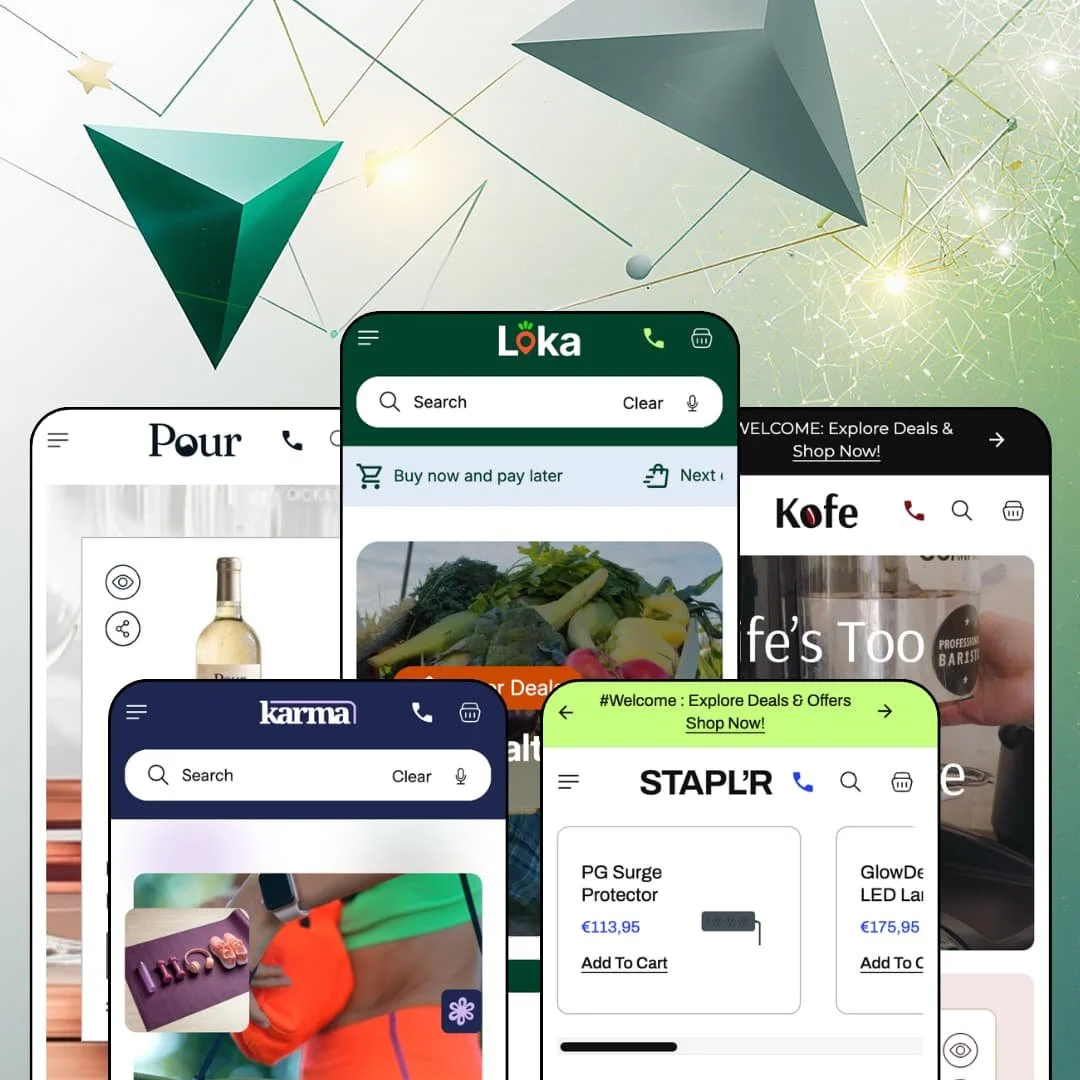
Most budget Shopify themes hand you one storefront and a color palette. MUUP's Loka hands you five, a grocery shop, a coffee roaster, a wellness brand, an office-supply catalog and a wine cellar, each with a pickup-store selector sitting in the header before you've scrolled an inch. Underneath, it's an Online Store 2.0 build carrying a merchandising layer heavier than the price tag suggests, and the open question is whether that layer bends to a real catalog or only to demo data. I spent time in all five demos to find out.
A pickup-store selector that behaves like a retail layer
Every preset puts Select Pickup Location in the header, next to the help line. Open it and you get four store cards, each with a street address, weekday and Saturday hours, a photo under a What To Anticipate During Pickup heading, and a Find Route link that hands off to Google Maps, with a pickup-availability block available on the product page to match. It's not decoration. For a grocer or a wine shop running two to four physical stores alongside a 100-to-500-SKU catalog, it turns the storefront into a click-and-collect front end on day one.
A native bundle basket with configurable slots
The Bundle section drops empty slots under a product grid and fills them as a shopper clicks Add To Bundle, with an estimated total at the bottom. Loka stages six slots at "Add 3+ products and save 20%", Karma three slots at 10%, Staplr three at 18%, so both slot count and headline percentage are per-instance settings. One caveat matters. The section builds the basket; the discount itself needs a matching automatic discount created in Shopify admin, or the promised percentage stays a headline. For a coffee roaster or a supplement brand with 30 to 80 SKUs and a build-your-own-box model, that's a mix-and-match mechanic living in the theme rather than in a separate install.
Product cards that carry the merchandising, not just the price
Look at the Basil card on the Loka homepage. Two dietary icons, No Chemicals and Organic, sit above the title; a scrolling "Buy 2, save $2" strip runs under it; a 79% Off badge hangs in the corner; and the footer line reads "30 minutes delivery! 149 in stock". Four separate signals on one card, all from theme settings and product fields rather than app injections, and the same card grammar carries the wellness and wine presets with different icon sets. Shoppers in restock-driven categories decide at the card, not the product page, and for a fresh-food or supplement merchant with impulse-buy baskets under $30, that's where the conversion work belongs.
For merchants who sell from the menu
If your shoppers already know what they want, Loka's navigation lets them buy without landing on a page. The Deals For You dropdown on the grocery and wellness demos is a grid of eight product tiles with prices and Add To Cart buttons inside the menu itself, and the category columns nest to a third level, Vegetables and Fruits as sub-headings under Fresh Produce, with an image tile and CTA pinned to every column. It's a mega menu that sells. For a repeat-buyer grocery or pantry store with a 100-plus-SKU catalog, the menu becomes the fastest reorder path on the site.
Social proof is furniture
Loka's product pages carry a section titled Real Reviews, Real Experiences. What it holds is a carousel of hand-typed testimonials, avatar, name, job title and quote, all entered in the editor. There is no review-collection mechanism, no star aggregate on cards, and the Pour footer even links a Highly Rated collection with nothing rating anything. They're testimonials, not reviews. Nobody submitted them. A considered-purchase wine shop or a supplement brand selling to first-time buyers at $100-plus will be installing a review app before the first order, because trust in those categories is earned per product, not pasted per page.
The default voice is a discount
Between the homepage and a product page I counted six urgency devices stacked in sequence: a countdown in the announcement bar, a New Year, New Deal hero, a flash-sale banner, a scrolling "Sale Ends In Five Days" strip, a full-width countdown section, and another countdown under the product title. Every one is a toggle. But all five demos ship with all of them on, and the theme's tone lands well before you reach the settings panel. Pour is the preset where this bites hardest: a luxury-tier wine merchant with a considered-purchase, gifting-led audience will spend the first afternoon switching devices off before writing a word of copy.
Three replenishment presets, no replenishment mechanic
Grocery, coffee and supplements are the three categories on this theme built on repeat orders, and none of the three buy boxes render a subscribe-and-save option. The grocery and wine product pages show a variant picker, a quantity stepper, a gift-message field and an order note, then the button. That's the whole path. Subscriptions are an app layer on Shopify, Shopify's own Subscriptions app among the options, and Loka exposes nothing beyond the standard app-block slot, so a subscription-driven roaster or a weekly-box grocer with 40 to 150 SKUs is adding and styling that layer themselves.
Two reviews in sixteen months
Loka launched in the Theme Store in May 2025 and, as of September 2026, has two reviews, both positive, one from February and one from August of this year. Two reviews don't make a track record. The developer answers them and has shipped a major version roughly every quarter, which is reassuring, but it's not the same as a body of merchants having run this theme through a holiday season. A single-brand store on a mid-market budget, choosing a $140 theme precisely because it can't afford a rebuild, should weigh that thinness against the length of the feature list.
What it takes to launch
Expect a multi-day pass across shared promotional copy, testimonial content, pickup-store data, FAQ entries and countdown dates, followed by metafield population for nutrition tables, compare rows and card badges, and a price and compare-at audit across the catalog before anything goes live.
-
What works in this preset
Scroll a Loka product page and it reads like a supermarket shelf label. Under the buy box sits a Guideline Daily Amounts table: energy, fat, saturates, sugars and salt per 100g, each with a percentage column. Above it, collapsible rows carry nutritional text, shipping terms and returns. It's dense, but it's legible. The data lives in metafields, so a grocer with 300 SKUs fills it once per product and the layout repeats itself across the whole catalog without any further design work from anyone.
The Compare & Choose section on the same product page lines up three flours in a table: description, weight options, a nutritional line and the running discount, with a Choose Options button per column. I clicked through expecting a flat image. It's a real table fed by product data, which matters for pantry categories where a shopper actually weighs almond flour against bread flour before adding either to the cart.
"Farm-Fresh Goodies Delivered To You!" The slideshow that carries that line also carries live product cards, carrots and lettuce with prices and add-to-cart buttons, inside the slide itself. It turns the hero into a shelf. The collection-tabs section below it does the same job at scale, five tabs from Super Deals to Farm Fresh, each loading its own grid of eight products with quantity steppers on the bestseller row.
Where it stumbles
Reserve Pickup Or Delivery Today, says the banner, with a Book A Timeslot button. The button opens the contact page. For a grocery preset whose entire pitch is delivery windows, that staging leaves the vertical's core promise unbacked, and a merchant wanting real slot booking will be shopping for an app or a form builder before launch.
-
What works in this preset
Twelve products before a single paragraph of copy. That's how Kofe opens: a split hero with "Life's Too Short For Bad Coffee" on one side and a scrolling product grid on the other, machines, pods, cold brew and grinders all with Choose Options buttons. For a roaster who sells hardware alongside beans, the layout pushes the high-ticket espresso machine into the first viewport instead of burying it under lifestyle imagery.
The main menu splits Equipment into Brew Essentials and Pro Barista Gear as third-level sub-headings, with an offer tile pinned under every column. Merch and Bakery get columns of their own. It's a small thing, but it shows the navigation was built for a shop that sells four unrelated product types under one brand, which is exactly what a café with a retail counter does every day.
Scrolling past the tabs, you hit a hotspot image with a burr grinder, a thermos, a vacuum brewer and a manual grinder pinned to it, each with a price and its own Add To Cart button. Shop-the-look, but for a kitchen counter. It's the section I'd point a roaster to first, because it sells the expensive gear in context rather than on a white background.
-
What works in this preset
You land on a video. Not a stock clip playing behind a headline, but a hero with two shoppable overlay tiles floating on it: an Eco Yoga Mat at $70 struck through from $120, and a foam roller at $90, each with a View Product link. Karma is the only preset that stages the video hero this way, and for a wellness brand with a short hero-product range it does the work of a lookbook without adding a section.
The Bestsellers Loved by All block runs four tabs, Yoga, Fitness, Supplements and Self-Care, each loading eight products. The supplement cards show two pack sizes in their image pair, 50g and 100g electrolyte tubs, 150g and 300g creatine. Sizes are variants, not separate listings, which keeps the catalog count honest for a brand selling the same formula in two tubs.
Wellness of Mind, Wellness of Body, Wellness of Spirit. The scrolling-text section stitches that line together with inline photo tokens between the words, and Karma uses it twice, once as a category divider and once above the countdown. It's decoration, but it's the kind of typographic gesture that makes a $140 theme read like a brand site rather than a template.
Where it stumbles
Fitness equipment is where the demo runs out of stock. The rowing machine, exercise bike, treadmill, pull-up bar and BCAAs all sit sold out across the tabs and the bundle builder, so the highest-ticket category in a wellness store is staged as the one you can't buy.
-
What works in this preset
Staplr puts product cards where the other presets put a hero. The homepage opens with two banner blocks, Essentials For Every Desk and Designed For Productivity, each flanked by four product cards: surge protector, LED lamp, headphones and docking station on one side, tray, notebook, tape dispenser and stapler on the other. Eight SKUs and two CTAs before the first collection tile. For an office-supply catalog where nobody browses for pleasure, that density is the right call.
Reading the testimonials, I sat up at the job titles. Manager, Writer, HR Executive: the demo is written for procurement, not for consumers, and the FAQ backs it with a question about serving businesses as well as individuals. The furniture cards carry a "Buy 2, save 20 %" line that appears only on chairs and desks, a plausible bulk-order nudge for a small office fit-out.
The before/after slider is repurposed as a colorway viewer, Chair Grey against Chair Black on one drag handle. Badges do labeling work here too: Bestseller on the office clock, 54% Off on the smart assistant. On a catalog of grey rectangles, a visual cue on the card is most of what separates one SKU from the next.
Where it stumbles
Everything is sold out. Every card on the Staplr homepage, from the $35 gel pens to the $210 standing desk, renders a Sold Out state, so a preset whose whole argument is fast reordering can't be reordered from. There's a second gap for the business audience the copy courts: quantity pricing and the quick order list are Shopify Plus features, so a non-Plus office supplier gets the procurement-flavored copy without the volume-pricing mechanics behind it.
-
What works in this preset
The Cabernet Reserve sells as Single Bottle, Pack of 3 or Full Case, three pack variants on one product with one gallery. That's the right shape for a wine shop, where the same label moves by the bottle to households and by the case to restaurants. The collapsible rows underneath swap grocery language for cellar language: alcohol by volume per 100ml, Napa sourcing, and a pairing note about grilled meats and aged cheeses.
Browsing by style is the whole navigation. Red, White, Rosé & Sparkling, Dessert & Fortified: four columns, eight bottles each, with a Browse Offers tile under every one, and the footer adds Bestsellers, Top-Sellers and Highly Rated as curated entry points. Nobody has to know what a Tokaji is to find it.
"Your Story. Our Wine." The hero carries that line beside a single $600 Bordeaux Blanc card with its own Choose Options button, so the most expensive bottle in the cellar is the first thing a visitor can act on. Pour also runs the darkest palette of the five, which suits a category where the product photography is mostly glass and label.
Where it stumbles
This kept bugging me: where's the age gate? The theme ships an age-verification popup as of its May 2026 release, but the Pour demo opens straight onto the storefront, so a merchant selling alcohol will need to switch it on and set the minimum age themselves before launch instead of inheriting it from the preset.
The product page is a landing page
Across all five presets the product template runs long: gallery, buy box, then an image-with-text block, a related grid, a testimonial carousel, a tabbed Product Details, Why Choose Us and Returns panel, an offers row, a hotspot image and an FAQ. That's a homepage's worth of sections under one SKU. It means paid traffic landing on a single product doesn't need a separate page build, which is the kind of structural decision a five-vertical theme has to get right, and this one does.
One data layer, five vocabularies
The same collapsible rows and per-100 table hold calories per 100g on Loka, alcohol per 100ml on Pour, and plain product info on Karma and Staplr. Nothing was rebuilt per vertical. The theme treats product content as fields to fill rather than prose to write, and that's what lets one purchase stretch across grocery, coffee, wellness, office and wine without the merchant inheriting a food-specific product page they have to fight.
Products are purchasable from almost every section
Slideshow slides carry product cards. Hotspot images carry them. Bestseller grids carry quantity steppers. The result is a storefront where the distance from any scroll position to an add-to-cart is one click, consistently, and for a high-frequency shop that consistency is more useful than any single item on the feature list.
Five palettes, one skeleton
Read the five homepages top to bottom and the section order barely moves: announcement countdown, hero, scrolling text, promo columns, collection tabs, bestsellers, marquee, bundle, offers row, logo strip, testimonials, countdown, before/after, blog, hotspot, FAQ, Instagram. The presets differ in color, type and photography, not in architecture. Two merchants in the same vertical who both pick Loka will build near-identical stores unless one of them deletes half the page.
Grocery DNA in every vertical
Loka started as a supermarket theme and the family still speaks that language. The per-card delivery-time line, the weight-and-pack variant logic, the daily-amounts framing, the timeslot promise: all of it fits fresh food and then travels, unchanged, into office chairs and Cabernet. A furniture or wine merchant will spend setup time not adding features but removing consumable-store assumptions from a template that never quite forgets where it came from.
★ 7.2/10
Rating
-
Store selector, bundle basket, compare table, nutrient tables and product cards inside slides, hotspots and menus in one $140 purchase; reviews and subscriptions stay app territory.
8
-
Every conversion device is a toggle and section settings go down to per-block font weight, but the demos ship with everything on, so the first job is subtraction.
7
-
Sticky cart and sticky header are theme options and the hotspot section gained a mobile image-height control in the May 2026 release; the stacked promo sections make for a long thumb-scroll.
7
-
Images lazy-load and cards stay light, but the default homepage runs seventeen sections with three marquee strips and, on Karma, a video hero, so nothing about the out-of-box page runs lean.
7
-
Five palettes from grocery-bright to cellar-dark prove the color system stretches, and every section carries solid-with-arrow and outline button styles; the section order itself is the part you can't easily escape.
7
Frequently Asked Questions
-
Dawn is free and ships one preset with no store selector, no bundle section and no countdown or promo-tile sections. Loka sits on the same Online Store 2.0 foundation and charges $140 for the merchandising layer on top, plus four extra presets; if you'd otherwise be installing three or four apps to get bundles, pickup cards and promo tiles onto Dawn, that's the trade.
-
Yes. The grocery and wellness demos put an All Categories dropdown beside the search field that scopes results to a single collection, Bakery, Pantry, Supplements and so on, and the predictive results panel renders as a product grid rather than a text list.
-
free-shipping threshold line at the top, line items, an order-note field, a View Cart link and a Check Out button, with an empty-state message and Continue Shopping link when nothing's in it. Recommended products render on the full cart page rather than in the drawer.
-
No. Interface strings ship pre-translated in English, French, Italian, German and Spanish, so button labels, form text and cart copy switch with the locale. Product titles and descriptions are still yours to translate through Shopify Markets.
-
Color swatches are a theme feature and the demos stage multi-variant products behind a Choose Options button that opens the picker in place. Grouping separate products into one listing depends on Shopify's combined listings, which the theme renders but which is available on Shopify Plus only.
-
Yes, both quick view and quick buy are theme-level options. The demos stage the quick-buy path on single-variant cards as a direct Add To Cart and on multi-variant cards as Choose Options, so a shopper never has to leave the grid to pick a weight or a pack size.
This review is based on hands-on testing of the publicly available preset demos of the Loka Shopify theme as of September 2026. Theme features, preset availability, and performance can change with subsequent updates from the theme developer.