
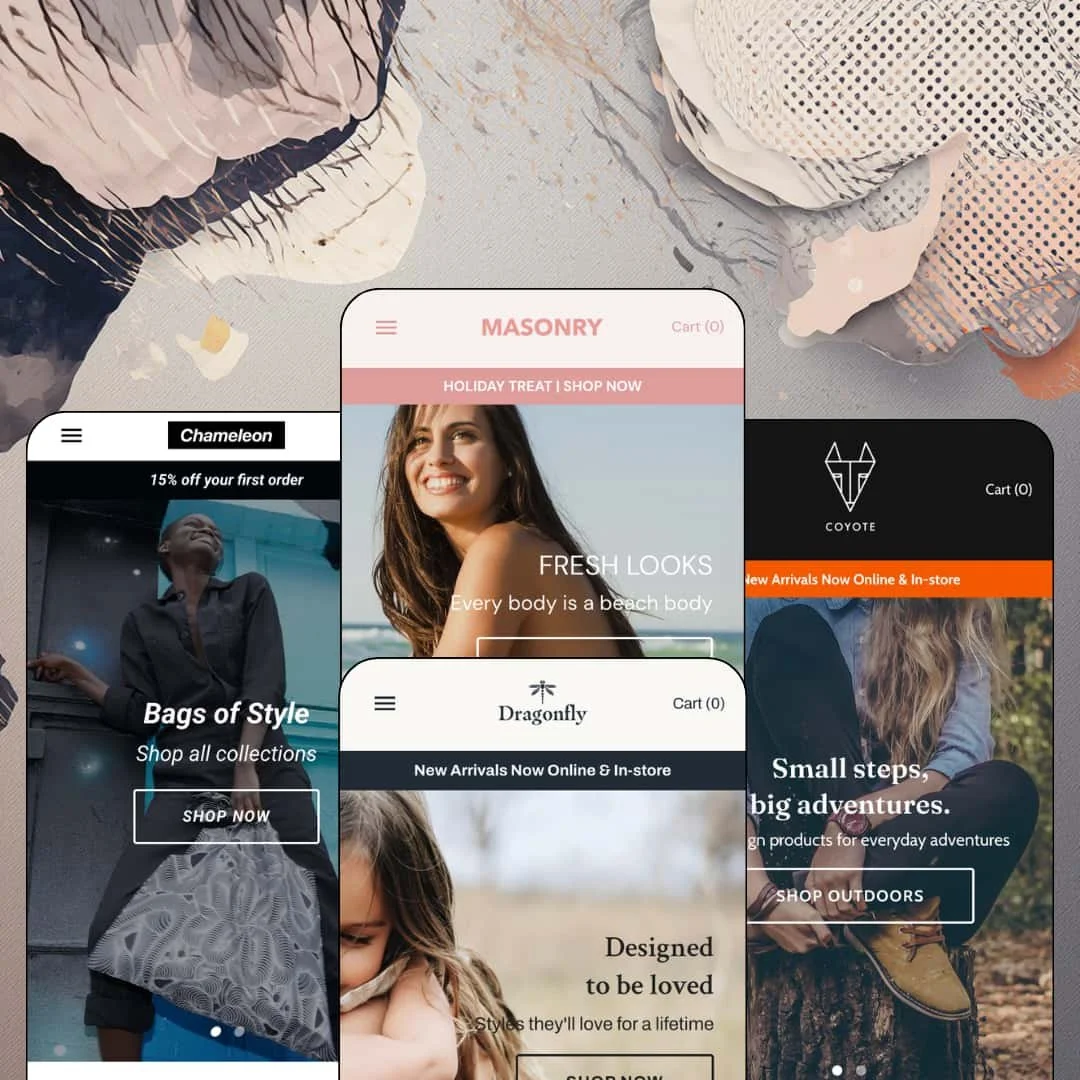
Most Shopify themes hang the navigation across the top and treat the left edge of the screen as dead space. Masonry moves the whole menu into a permanent sidebar and lets a Pinterest-style tile grid claim the rest, which changes how a shopper moves through a catalog before they've read a single headline. At $220 with four presets spanning swimwear, kidswear, artist-designed bags and outdoor gear, the question is whether that layout bet holds up in 2026 or whether it locks merchants into one very specific way of selling. It runs on the Online Store 2.0 generation, with the current 8.0.0 release adding Extended Variants, Combined Listings and native swatch support.
Sidebar navigation with two child-menu modes and promotional slots
Masonry's menu lives in a fixed left column and supports three tiers, with child items rendered either as a flyout panel or expanded inside the pane, plus button-style promotional links and an announcement slot that the theme places within the same column. Because the menu is always visible on desktop, sale links and brand links stay in the shopper's peripheral vision on every page rather than hiding behind a hover state. That's rare. For single-brand merchants with 30 to 150 SKUs and a restock-driven or seasonal sales pattern, the sidebar works as a persistent campaign board that changes with the calendar without touching the homepage.
A masonry tile grid with merchant-controlled sizing
The product grid re-flows around image height instead of enforcing uniform boxes, and the developer's documentation confirms merchants can supersize individual tiles by tagging a product "meta-image-large," or lock the whole grid to a fixed thumbnail ratio when they'd rather have order than variety. Quick View sits on every tile and infinite scroll replaces pagination on collections. The effect is a browsing surface that rewards good photography and lets a merchant editorially weight certain products without touching code. Art-print sellers, jewelry makers and gift shops with strongly visual, considered-purchase catalogs of 50 to 300 SKUs will get the most out of it.
Does a homepage need a buy button? Masonry says yes
The featured-product section drops a working buy box onto any page: swatch or dropdown variant selection, quantity, Add to Cart and the express-checkout button, all inline. Two of the four demos deploy it, once on a homepage and once at the bottom of a product page, which shows it's a section rather than a template hack. For impulse-priced accessories brands and drop-model merchants launching one hero product at a time, that shortens the path from landing to cart by a full page.
Size chart modal with real conversion tables
The product template carries a Size Guide link beside the variant picker that opens a modal, and the modal holds a full table rather than an image: letter sizes mapped to EUR and UK numbers, then bust, waist and hip measurements in both centimeters and inches, with measuring instructions underneath. It's editable page content. Apparel and footwear merchants selling mid-market, cross-border, and dealing with return rates driven by fit confusion get a native answer to the sizing question without a sizing app.
The cart is a page, and only a page
Add to Cart sends the shopper to /cart every time, where the theme offers a line-item table, an optional order-notes box and, in the empty state, a row of featured collections. There's no cart drawer, no popup confirmation, no free-shipping progress bar and no cross-sell row in the cart flow. Every add-to-cart is a round trip. For multi-item baskets in apparel or gear, where a shopper typically adds three or four SKUs before checking out, that friction compounds, and impulse-buy accessories brands lose the "keep browsing" moment entirely.
Social proof is rented from an app
The review chips on product tiles and the star row on product pages in the swimwear, kidswear and bag demos come from Judge.me scripts, and the developer's documentation describes the theme's review support as hooks for the Shopify Product Reviews app rather than a native engine. What the theme itself contributes is placement and styling. Merchants in considered-purchase categories with 100 to 500 SKUs, where reviews move conversion the most, should budget for a review app and its setup before launch, because nothing in the theme renders a rating on its own.
The sidebar is a commitment, not an option
Masonry doesn't ship a top-bar layout or a mega-menu alternative; the developer's documentation is explicit that the theme uses no drop-down menus. Three tiers is the ceiling. Child menus render as text links only, so there are no product tiles, image columns or promotional banners inside the navigation panel itself. For multi-brand retailers, department-style stores with 500+ SKUs, or wholesale-enabled merchants who need category imagery and depth beyond three levels, the column becomes a wall of text rather than a merchandising surface.
An Online Store 2.0 theme at a 2026 price
The theme sits on the Online Store 2.0 generation, which means sections everywhere and JSON templates, but a block-nesting ceiling of roughly two levels and no Horizon-era AI block generation. Dawn, Shopify's free baseline, shares that same generation, so the $220 buys the sidebar layout, the masonry grid, filters, quick view and four preset styles rather than a newer architecture. That's a fair trade. But agencies and holding-company operators standardizing on Theme Blocks for future flexibility across several stores should weigh how long the OS 2.0 layer will keep pace with the platform.
What it takes to launch
Expect a multi-day pass across hero captions, gallery tile copy, product descriptions, blog excerpts and the size-chart page, plus sidebar menu re-staging for your own tiers and promotional links, before either navigation style is ready for launch.
-
What works in this preset
The demo is a swimwear boutique, and the left column does the selling before the hero does. A "Holiday Treat" announcement sits at the top of the sidebar, the main menu runs Home, Shop Swimwear, Clearance, Our story and Blog, and a "50% OFF SEASONAL SALE" promotional link is pinned underneath the menu as a button. Shop Swimwear opens as a flyout panel over the page, listing Colors Collection, Swimwear, We Heart and White Collection. It's a sales structure, not a sitemap.
I spent a while in the "We Heart" grid below the three-slide hero. Eleven product tiles sit in a masonry arrangement with a Quick View trigger on each, sale pricing struck through on Ditsy and Madeira, and a gift card tile that reads "From €11,90" because it carries denominational variants. The tiles don't share a height, which is the point, and the grid re-flows around whichever image is tallest instead of forcing every swimsuit into the same box. Scroll further and a full-width background video ("Escape the Everyday") breaks the grid before the Journal picks up with three dated posts.
The Swimwear collection page is where the filter sidebar earns its space. Availability, Product type, Size, Style and Color stack as filter groups above a sort control, and the color group renders as swatches rather than a text list, so a shopper hunting for a white one-piece can narrow the grid in two taps without leaving the page. That's a lot of finding power for a catalog of roughly twenty swimsuits.
Where it stumbles
The Aspen product page stages a single Color axis (Green, Purple, Blue) with no Size option at all. For a swimwear preset, sizing is the whole purchase decision, and a demo that never shows how the theme handles a Color-plus-Size matrix leaves the most important question about the vertical unanswered.
-
What works in this preset
Kidswear gets a departmental sidebar here, and the Departments entry expands into Girl, Boy, Unisex and Baby. What caught my eye was the Clearance menu, which is organized by discount band instead of category: 10% to 15%, 15% to 25%, 25% to 50% and under 50%. That's a merchandising decision made inside the navigation, and the two promotional buttons below it ("SALE NOW ON" and "OUR STORY") turn the sidebar into a three-tier funnel of browse, discount, brand.
Below the hero, a "New Collection" grid runs five dresses and skirts with review chips, followed by a three-tile gallery row: Our story, Size Guides, Store Pickup. Each tile is an image with a caption and a link. It's simple. But it puts three trust destinations in one row, and the Store Pickup tile points at a capability the theme lists natively rather than sending the shopper to an app.
The Anouk Dress product page is built like a landing page rather than a buy box. Under the swatch picker and a Size Guide link, the description carries a "Sizing Notes" paragraph, then the page continues into a video section, two text-beside-image rows ("Timeless by Design", "Classic. Conscious. Crafted."), an image-with-text overlay, a featured collection and a featured-collections strip. A merchant who wants every product page to carry brand narrative gets that by default here.
Where it stumbles
I clicked the Size Guide link on a dress listed in size 1-2 and got an adult sizing chart: XS to L, EUR 32 to 46, UK 6 to 20, bust and waist measurements in centimeters and inches, with instructions for measuring your chest "while wearing a bra that fits." The chart mechanism works. The staging reads against the kidswear vertical it's meant to prove.
-
What works in this preset
Instead of a slideshow, the homepage opens on brand voice. A two-column text section ("We value / Difference / It's in our culture") introduces LOQI, a Berlin and New York bag label, before a collection-list row lays out Bags, Weekenders, Zip Pockets and three artist tiers (Classic, Contemporary, Modern) plus a Hvass & Hannibal spotlight. The sidebar's Shop Now entry mirrors that structure with Bags, Weekenders, Zip Pockets, New Arrivals, Sale and All Products, and a "15% off your first order" announcement runs above it.
Halfway down the page sits a featured-product module for the Alex Trochut Berlin Bag at €9,95, with a Color swatch, a quantity field, an Add to Cart button and a "See full details" link. You can buy without leaving the homepage. For a catalog where most items are impulse-priced tote bags, a homepage buy box is arguably the right conversion surface, and the demo places it directly after a "New Arrivals" grid so the shopper has already seen the range.
The lower half of the page leans on credentials rather than promotions, which is unusual for a demo store. A text-beside-image row states OEKO-TEX and BSCI certification alongside a sustainability paragraph, a background video section separates it from the blog, and the blog itself carries artist-profile posts (Hvass & Hannibal, Stephen Cheetham) instead of generic seasonal copy. It reads like a real brand site.
Where it stumbles
The "New Arrivals" grid stages the Kristjana S Williams Weekender as Sold Out in the third tile. Leading the newest-products row with unavailable stock undercuts the exact promise the section heading makes, and the tile carries no back-in-stock hook to soften it.
-
What works in this preset
Coyote is the outdoor-gear preset and the demo that shows Masonry's second navigation mode. Where the swimwear demo flies child menus out over the content, Coyote uses the "Inside" style: Collections expands within the sidebar itself into Essentials, Cook, Hike and Wear, and the pane stays put. The menu also carries a "Clearance ♥" entry and a Contact link, so the column covers browse, sale and service in one glance.
The homepage runs a gift-themed slideshow ("The gift of adventure") into a tile gallery for Shop Men's, Shop Women's, a HERO9 Black camera promo, a "Socktober" sale tile and a "Gear Patrol" tile, then a "Save up to $50 on Selected Items" grid of eleven products. Sale badges hit five of them. Water bottles, a felling axe, a wind-up torch, a sleeping bag with a "From" price and a first-aid kit sit together in the masonry layout, and the mixed image heights actually suit gear photography better than they suit apparel.
I went looking for the story page the developer's documentation mentions, and Coyote is the demo that uses it: the theme ships a dedicated page.story template that merchants build out in the editor with the same section library as the homepage. On the product side, the Larvik Sleeping Bag page adds a "Design to Last" text row and then a second buy module for the Birch Coat, with Size and Color selectors live, directly below the related-products carousel.
One page grammar, four different brand voices
Read across all four demos, the homepage always follows the same shape (hero, tile grid, video break, blog), yet swimwear, kidswear, artist bags and outdoor gear each look like distinct businesses. That's the theme-style system doing its job: fonts, colors and shared settings swap in as a package while the merchant's section stack stays untouched. Masonry proves it can hold a brand identity without demanding a bespoke layout for each one.
Restraint as a feature
Every demo runs lean. Homepages stay under seven sections, product pages finish without accordion stacks or trust-badge walls, and the theme never pushes countdown timers or popups into the default staging even though it supports promo popups and banners. For merchants who find heavily promotional themes exhausting to maintain, Masonry's quiet default is a real advantage rather than a gap.
A story layer built into the templates
The dedicated story page template, the gallery tile rows that route to Our story and Size Guides, and product pages that extend into text-beside-image and video sections all point the same direction: the theme assumes the merchant has a brand narrative to tell and gives it room on every page type, not just an About page.
Product pages are prose columns
Across all four presets, the buy box is followed by a rich-text description, share buttons and a related-products carousel, and nothing else structured. No specification table, no metafield-driven detail blocks, no collapsible sections for shipping or care. Merchants selling gear, electronics or anything with technical attributes will be writing those details into free text.
The listing promises verticals the presets don't stage
The Theme Store files Masonry under Jewelry & Accessories and Food & Drink, but the four demos cover swimwear, kidswear, bags and outdoor gear. Jewelry buyers can squint at the bag preset; food merchants have no reference point at all for how the grid and sidebar handle their catalog.
Rating
★ 7.0/10
-
Filter groups with swatch filters, quick view, infinite scroll, a homepage buy module, size-chart modal and native pickup cover the core set; the cart-page-only flow and app-dependent reviews hold it back.
6
-
Theme styles swap a full look without touching sections, menus are plain Shopify navigation with two rendering modes, and tag-based tile sizing and labels need no code.
8
-
The sidebar collapses into a toggle-driven menu with a mobile search box and its own currency selector; product galleries carry thumbnail strips, but there's no sticky add-to-cart on long product pages.
7
-
Homepages stay under seven sections with lazy-loaded tiles and a single video section each; the review widgets are the only third-party weight in the demos.
8
-
Four theme styles, masonry versus fixed-ratio grids and two navigation modes give real variety, but the sidebar layout itself can't be swapped for a top bar.
6
Frequently Asked Questions
-
No. The sidebar is the theme's layout; what you can change is whether child menus fly out over the page or expand inside the column, and what promotional buttons sit beneath the menu.
-
No. Add to Cart routes to a full cart page with an optional order-notes field. The empty cart shows a featured-collections row to send shoppers back into the catalog.
-
Tag the product "meta-image-large" and its tile expands within the masonry layout. If you'd rather have an even grid, a fixed thumbnail ratio setting overrides the masonry behavior entirely.
-
Yes. The theme shows a low-inventory label for single-variant products and accepts a "meta-label-" tag for custom text; Sold Out takes priority, then Sale, then low stock, then your custom label.
-
A table. The Size Guide link opens a modal fed by a page you edit, and the demo version maps letter sizes to EUR and UK numbers with centimeter and inch measurements.
-
Yes, the Theme Store lists in-store pickups as a native feature, and the Dragonfly demo routes a homepage tile to it, though the product-page pickup block isn't staged in any of the four demos.
-
Version 8.0.0 added support for Extended Variants, Combined Listings and native swatches from visual category metafields on product pages, and switched to Shopify-native structured data output.
This review is based on hands-on testing of the publicly available preset demos of the Masonry Shopify theme as of August 26 2026. Theme features, preset availability, and performance can change with subsequent updates from the theme developer.