
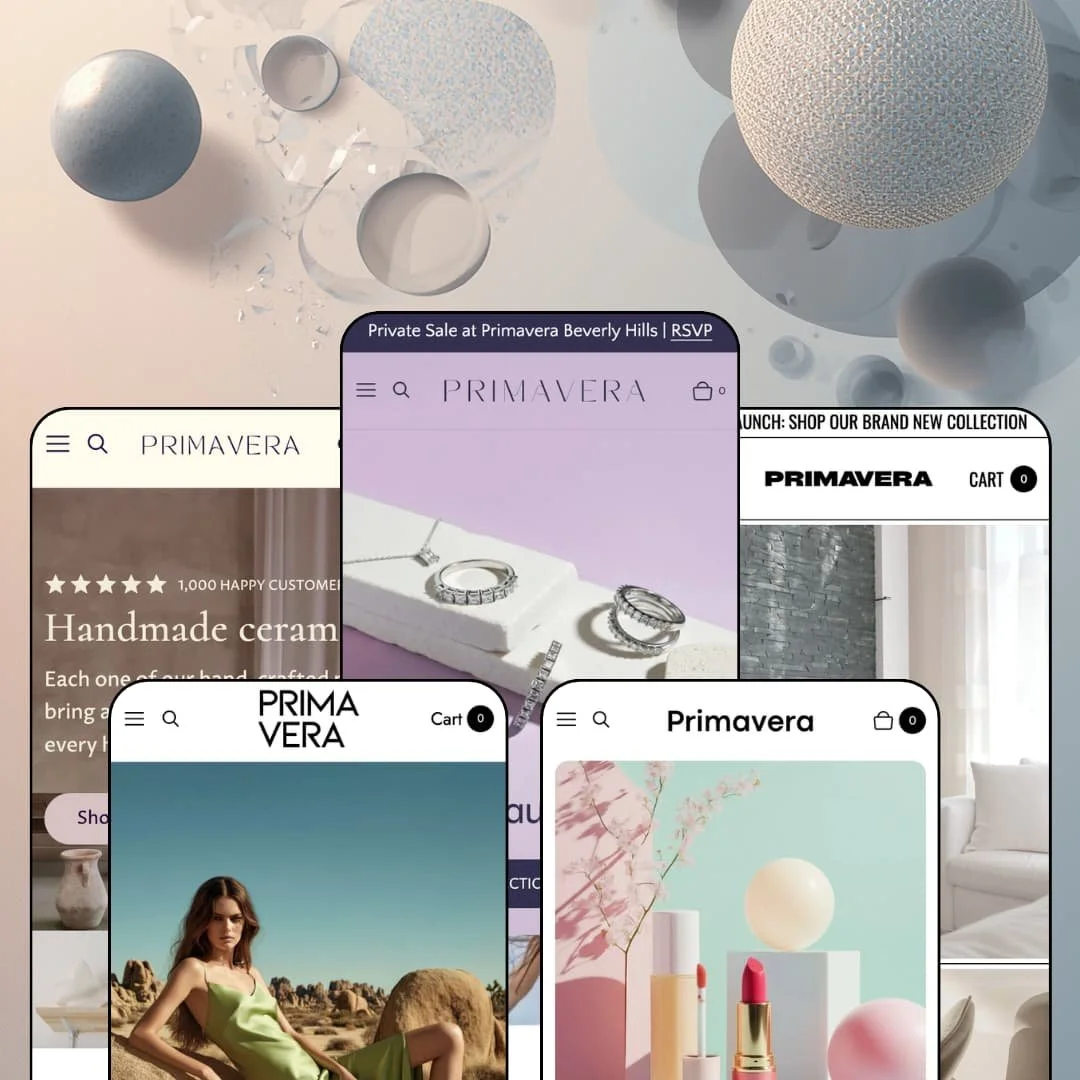
A countdown timer under a $7,500 amethyst ring is not what quiet luxury usually looks like. Primavera, Ultramarina's $400 theme, sells itself as a minimal design for jewelry and engagement rings, then stages private-sale countdowns, copy-to-cart discount codes and creator video reels across all five of its demos. It runs on Shopify's Theme Blocks architecture, the Horizon-era generation that nests blocks inside blocks and lets you drop a product card into a video banner without an app. I spent time in every preset to find out whether the restraint or the conversion kit is the real product.
Shoppable content is the default, not a section
The homepage featured-product module runs a live variant picker, video reels pin a product card under each clip, hotspot images tag products in lifestyle scenes, and split banners pair a campaign video with a purchasable card, all from the same block library. Dawn renders a similar buy box once per page; Primavera nests it inside video, reels and hotspots. For lifestyle brands with campaign video budgets, under 100 SKUs and impulse-friendly price points, that collapses the distance between the editorial scroll and the cart.
A line-item field covers most personalization
Product blocks accept custom line-item properties with a merchant-set character limit, so the jewelry demo caps engraving at three characters, the beauty demo adds a "Use recycled packaging" checkbox, and gift wrapping and a cart checkbox ship native. It's a text field, not a live preview, so monogram merchants who need initials rendered on the product image still need an app. For fine-jewelry and leather-goods brands with 20 to 200 SKUs and gifting-driven sales, it covers the common case without a monthly subscription.
Discount codes apply from anywhere on the page
The discount code block is a global block, so a code can sit inside a hero, a banner, a text section or a popup with its own Apply button, and the customer redeems it before adding anything. All five demos use it. For promotion-driven merchants running seasonal campaigns, mid-market pricing and repeat-buyer email lists, any landing section becomes a redeemable offer without routing the code through checkout copy.
Size guides live beside the picker, as tables
The size chart opens as a modal from a link directly next to the variant buttons, and the demos fill it with real tables: US ring sizes against millimetre circumference on a diamond band, bust, waist and hips in centimetres on a sequin dress. No hosted image, no scroll to an accordion. For apparel and jewelry brands serving EU and US customers with considered purchases above $500, the table is one field per product instead of a chart app.
The social-proof layer is decorative
"5.0 out of 5 stars, 10,000+ happy customers" is a rating block on the beauty hero, and the same block reads "1,000 happy customers" on two other presets. It's a block you drag in, not a record you earned. Testimonials are typed by hand and the feature list names no review engine, so a merchant selling $7,500 rings or $2,300 lounge chairs still needs Judge.me or a comparable app before a verified customer voice appears. For fine-jewelry and furniture merchants with considered purchases above $1,000, that's the first install on day one.
Product data is prose, not structure
The furniture demo sells a $650 dining chair with no dimensions anywhere on the page. Materials, weight and care live in rich-text accordions when the demo bothers to write them, and the section library has no metafield-driven spec table or product comparison view. For furniture, lighting and jewelry merchants with 50 to 300 SKUs where customers compare carat weight, width or wattage, every spec is a paragraph to write and a paragraph the customer has to read.
The demos run on campaign budgets
Every preset opens with a produced video hero, and four of five stage creator reels with handles and lifestyle photography behind the hotspot images. Strip the video out and the split banners, reels and shoppable heroes become empty containers with a button. First-time sellers with under 30 SKUs and self-shot product photography will get a beautiful skeleton and spend months feeding it.
What it takes to launch
Expect a multi-day pass across product accordions, homepage promo blocks, countdown dates, discount codes and the demo-store navigation before launch, plus a sweep of copy that repeats across the five presets. Metafield population for pre-order states and variant swatches adds a day for catalogs over 50 SKUs.
-
What works in this preset
Scroll the Precision homepage and you can buy before you leave it. The Lola Tennis Bracelet sits in a full buy module mid-page with white, yellow and rose gold as live picker options, an engraving field capped at three characters, and an "order by February 3rd" shipping note tucked under the button. Nothing here needs a product page. The reel section that stages five creator clips pins a purchasable card under each one, so a @claire.sur.scene video sells the Tabitha pearl ring in place.
The product page ships three media layouts, and the demo links to all of them from the mega menu: slideshow, thumbnails and vertical scroll on the same Aurore diamond band. Ring sizes 3 through 9 render as buttons, the engraving field repeats, and the sticky bar that follows you down the page carries the selected size, the price and its own add-to-cart. It's a buy box built by someone who has sold rings.
"Gifts Under $500" and "Gifts Under $1000" hang off the header as a two-tier gifting menu with a gift-card tile beside them. Collection pages carry a category strip above the grid, filters for Material and Stone with product counts, and an editorial craftsmanship block below the products, so a three-ring collection still reads as a page rather than a list. I noticed the footer runs a hero image, quick links, socials and a newsletter form in one band with an animation toggle above the copyright line.
Where it stumbles
The Theme Store pitch names engagement rings, and the demo stages none of the grammar that sells them. Metal is a variant on the bracelet, size is a variant on the band, but no product combines metal, stone and size into one configurable piece, and there's no ring-builder section in the library. Engagement-ring merchants will be assembling that flow from standard variants and metafields.
-
What works in this preset
Black, white and one chartreuse silk dress. That's the whole palette, and it holds because the split banners do the work: a desert campaign video sits beside a static Trench Coat card with its own add-to-cart, so the hero is a shop window rather than a mood board. The Le Soupir du Désert carousel runs seven products with two-color quick add on the sequin dress and slip dress, and "New" and "Trending" badges stack in the card corner.
The Sequin Midi Dress buy module lists sizes 32 to 48 as a button row under a Silver-or-Pink color picker, and the product page for the Silk Slip Dress truncates its description with a Read more link that opens a modal instead of pushing the buy button down the screen. Directly beneath the buy box sits a "Book a Stylist Appointment" banner with its own call to action, which is a fashion-house touch the other presets don't attempt. Details, Shipping and a Get Inspired carousel follow underneath.
I sat up at the Services section near the bottom: gift wrapping, boutique appointments and embossed personalization as three image tiles with their own buttons, followed by an FAQ block about a virtual runway and a hotspot image tagging the trench coat and heeled boot. It's a lot of section types on one page. The monochrome palette keeps it from feeling crowded.
Where it stumbles
The services are staged, the mechanics aren't. "Book a Boutique Appointment" leads to a page, not a booking flow, and "Personalize your Forever Pieces" promises embossed initials on bags and outerwear while the engraving field the jewelry demo uses never appears on a single Savoir product. A luxury fashion merchant selling appointments and monogramming will need a booking app for the first and a per-product staging pass for the second.
-
What works in this preset
"Weightless with longlasting tint" sits under the Natural Shine Lipstick card as a subtitle, and every bestseller card carries one. The lipstick also runs three shade options on the card itself, and the buy module further down adds a "Use recycled packaging" checkbox and a quantity stepper beneath the shades. A beauty grid that reads at a glance. The custom "SPF" badge on the moisturizer and foundation cards is a vertical-specific label rather than a generic Sale sticker.
The Gloss Moisturizer gets a full product spotlight lower down: a before/after slider, a clinical-study quote, a purchasable card, and then an ingredient hotspot image tagging Hibiscus, Hyaluronic acid, Niacinamide, Peach Blossom and Kelp. On the product page, the eyeshadow palette carries How to Use and Ingredients accordions, a three-line benefits row reading "Suitable for all skin types, 100% Vegan, Sustainably Developed", and an Ingredient Spotlight section on grape seed oil. Beauty merchants get their INCI list a home without a metafield app.
The announcement bar rotates between a free-shipping threshold and a surprise-gift threshold, and a Beauty Masterclass block pairs a countdown with a register button. Press logos for Vogue, Harper's Bazaar and InStyle run in a band above the buy module. Promotional, yes, but the pastel palette and rounded corners keep it from turning into a flash-sale page.
Where it stumbles
Skincare shoppers tend to arrive with a concern, and Gloss's mega menu only offers product types: Cleanser, Serum & Face Oil, Moisturizer & Cream, Body. No concern column, no routine builder, and the only routine content lives in a hero caption naming three products a model wears. A skincare merchant wanting hydration-or-acne navigation will be building that column into the menu themselves.
-
What works in this preset
Handmade ceramics sell on imperfection, and Gaia is the only demo of the five that leans into a language switcher. The header carries a Choose language dropdown with English, Français, Deutsch, Italiano and Español beside the region picker, and the whole cream-and-Cormorant palette reads like a studio shop rather than a boutique. Cards show "2 colors available" as a count instead of swatches.
The Growth Planter product page uses variant image thumbnails as the picker, a breadcrumb trail back to Plants, and a three-question FAQ block (food-safe glazes, why pieces differ from photos, damaged items) directly under the shipping accordion. The "handmade to order, 3-5 business days" line sits under the button. It's a compact page for a $120 item.
I scrolled through the mega menu's Shop By Cause column, Environment and Women's Rights collections beside the standard drinkware and dinnerware groups, and that's the detail that gives this preset its character. The testimonials carousel pairs each five-star quote with a lifestyle image and a shoppable tag, so Alyssa's mug review sells the Custom Engraved Mugs beneath her sentence. Discovery here is curated, not filtered.
Where it stumbles
Made-to-order is the brand story and a sentence is all it gets. The lead time lives as plain text under the add-to-cart rather than as a labeled state on the button or the card, so a customer scanning the planter grid sees a plain "Add to cart" and learns about the wait only after clicking through. For a studio brand where every order is a commission, that's the wrong place to say so.
-
What works in this preset
Composition is the loudest preset. It's also the most fun to scroll: primary-color grid lines, a hero video with a Multi Dining Table card floating over it, and a three-clip reel below that pins the Dome Lamp, Lounge Chair and Multi Dining Table under creator handles. The Bestsellers carousel runs subtitles like "Indoor outdoor chair" with two- and three-color quick add on the lamp and mesh chair.
A lifestyle hotspot image tags four products at once (Two Dots Painting, Dome Lamp, Modern Armchair, Cylinder Vase), press logos for Dezeen and Architectural Digest sit in a band, and the testimonial cards attribute quotes to publications as well as customers. The Modern Dining Chair page shows the White variant struck through in its image thumbnail, an "Only 23 available" stock line, and a Sale badge with the $700 compare price. The header adds a Locations page to the Brand menu.
"Free White-Glove Delivery" gets its own countdown block, and a discount section hands out a code for art with an apply button. I went looking for the room-scene grammar that furniture stores need and found it in the split banners: product on one side, lifestyle scene on the other, repeated three times down the page.
Where it stumbles
The demo stages a $650 chair with the grammar of a flash drop. Stock counters, strike-through sale prices and a delivery countdown all run at once, and against the Mondrian palette that reads as playful; against a "high-end furniture" pitch it reads as urgency a considered purchase doesn't want. Furniture merchants selling at four figures will want to switch most of it off.
One block grammar, five unrelated brands
Precision, Savoir, Gloss, Gaia and Composition don't share a homepage skeleton so much as a vocabulary: split banners, reels, hotspots, buy modules and discount blocks recombined into monochrome fashion, pastel beauty and primary-color furniture. The design difference comes from color tokens, corner radius and typography rather than from different sections. That's the Theme Blocks promise delivered in practice, and a merchant who outgrows one preset can move to another without rebuilding pages.
Accessibility is a design decision, not a checkbox
Every video in every demo carries a written description dialog, every marquee and logo strip has a "Play animation" toggle, and the developer's own feature page says the code was reviewed by a certified accessibility specialist against WCAG 2.2. The skip links on the product pages land where they should. Merchants facing accessibility regulation start ahead here.
The product page is an editorial page
Across presets the product template hosts FAQ blocks, ingredient spotlights, stylist-appointment banners and campaign carousels beneath the buy box, so a single SKU can carry a landing page's worth of persuasion. That's a structural choice visible only when you read all five product pages together.
The listing promises a vertical the presets don't stage
The Theme Store lists Food & drink alongside Jewelry & accessories, and Composition's own meta copy calls its look "sought-after" for CPG brands, yet none of the five demos sells anything edible. A food merchant buys on faith that the ingredient blocks built for lipstick will serve a granola label.
Quiet luxury with a discount voice
Each demo pairs its restraint with a countdown, a strike-through price or a copy-to-cart code, and the Beverly Hills private sale in the jewelry store runs on a timer. The tension is theme-character, not staging: the conversion kit is identical in all five presets, and the merchant's job is deciding how much of it to switch off before the brand voice reads as promotional.
Boutique-scale discovery, unproven at depth
No demo stages more than a few dozen products, collections run three to eight items, and the mega menu tops out at two link columns plus image tiles. The theme lists a "Some (11-100+)" catalog size for a reason. Merchants above a few hundred SKUs are buying a design system and testing the discovery layer themselves.
Rating
★ 8.2/10
-
Shoppable reels, hotspots, buy modules, discount blocks and character-capped line-item fields are all native; no review engine or spec-table layer.
8
-
Theme Blocks nesting is powerful but deep; five presets and 30+ sections mean real editor time before launch.
8
-
Sticky add-to-cart bar, a slide-out menu with nested groups, and a mobile-specific media width setting on product sections.
8
-
Lazy-loaded imagery, restrained scripts and a codebase the developer benchmarks against real content; the video-heavy demos still scroll lean.
9
-
Five presets that look unrelated while sharing one block library; granular type, grid and spacing controls.
8
Frequently Asked Questions
-
Theme Blocks. Blocks nest inside blocks, the 1.6.0 release added global Rating and Icon with Text blocks, and the Theme Store copy references AI-generated blocks inside the editor.
-
Version 1.6.1 landed on January 6, 2026 with small product-page fixes; the larger 1.6.0 release in December 2025 added video reels, the sticky add-to-cart bar, nested cart line items and Chinese and Japanese translations.
-
Three media layouts: slideshow, thumbnails and vertical scroll. The jewelry demo links all three views of the same ring from its mega menu so you can compare them directly.
-
Yes, via a product metafield since version 1.4.0. None of the five demos stages it, so expect to configure and test the state yourself.
-
In-store pickups are on the feature list, the furniture demo carries a Locations page and the jewelry demo a Find a Boutique page. I didn't find a dedicated map section in any demo, so locations are content pages rather than a locator.
-
English, French, Italian, German and Spanish out of the box, with Dutch, Simplified Chinese, Traditional Chinese and Japanese added in later releases, plus right-to-left layout support.
-
Cart notes, gift wrapping, an optional checkbox, discount codes applied from inside the cart since 1.5.0, and support for nested line items from bundle apps.
This review is based on hands-on testing of the publicly available preset demos of the Primavera Shopify theme as of September 10 2026. Theme features, preset availability, and performance can change with subsequent updates from the theme developer.