
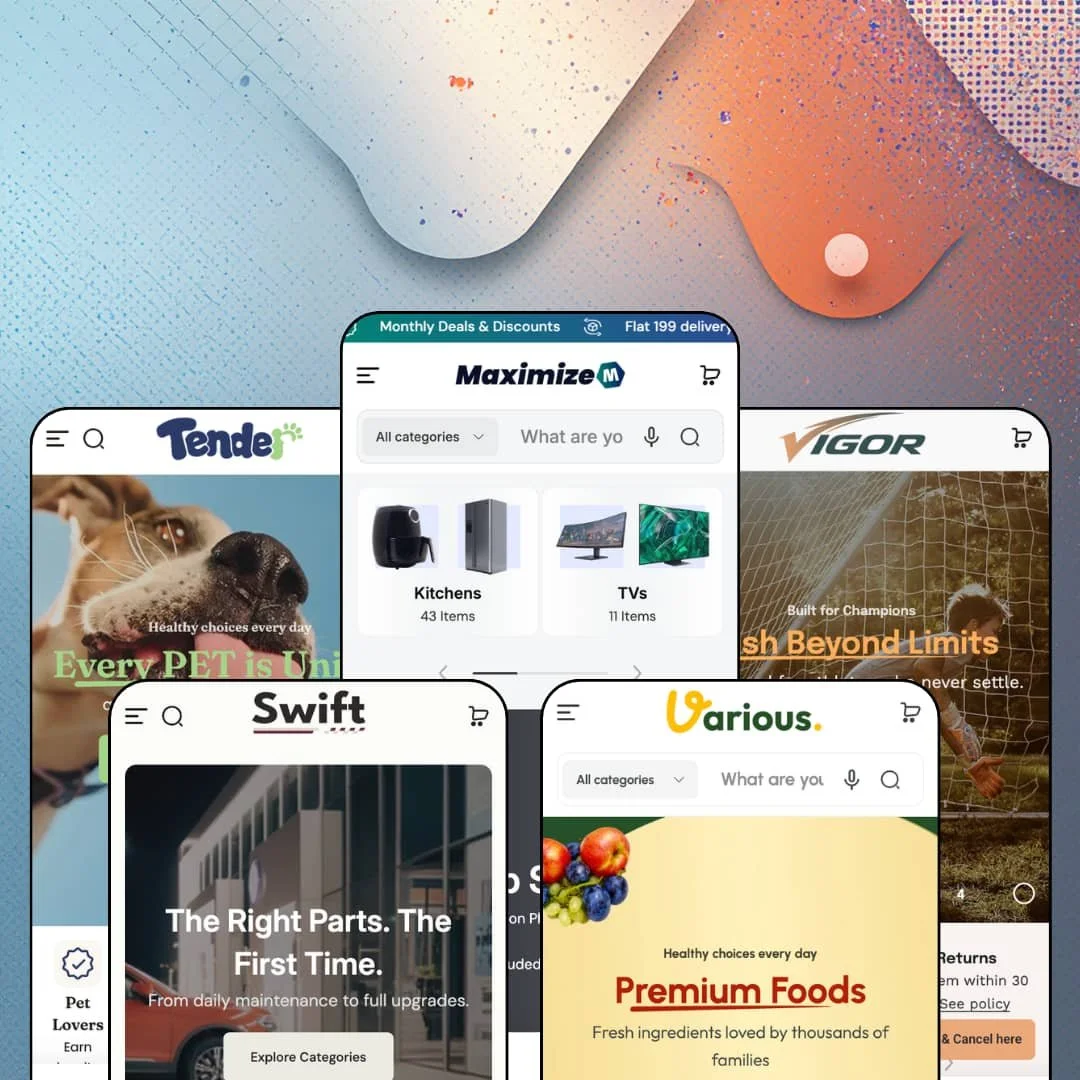
Most large-catalog Shopify themes treat wholesale as an app problem. Maximize treats it as a theme setting, shipping login-to-view pricing, bulk-order pages, quantity rules and a request-for-quote flow inside the same $220 purchase that buys five industry presets for electronics, sports, grocery, auto parts and pets. That's a lot of promise for a Standard-tier price, and the demos are staged loud enough to test every bit of it. Under the hood this is a Theme Blocks build: Omni Themes' "Block in Block" system nests Group and Item-list containers up to seven levels deep, the same Summer '25 model Shopify introduced with Horizon, though here it's switched on in seven sections rather than everywhere.
Wholesale runs on theme settings, not on a subscription
Login-to-view-price, a bulk-order page, quantity rules, a volume-pricing table on the product page, a B2B registration form and, since version 2.1.0, a request-for-quote flow all ship inside the theme; the Vigor and Various demos both link a Bulk-order page straight from the header. No app. For a distributor moving 500-plus SKUs to trade accounts on Shopify's native B2B company structure, that's the difference between configuring a storefront and assembling one, and it's why the $220 price reads cheap for this specific merchant. Considered-purchase buyers reordering by SKU are the audience; impulse DTC brands won't touch most of it.
Ten menu styles, four levels deep
If you run a multi-category store where a shopper cross-shops laptops and toasters in one session, the header is the feature you're buying. Maximize documents ten mega-menu styles (tabbed, banner, blog, button, contact, column, drawer, categories, product and tree) and the demos mix them: the electronics preset's Laptops & Tablets panel nests four levels and closes with two promo banners, while the grocery preset's Fruit & Vegetables panel drops a Buy-3-Get-1 tile beside the sub-collections. Nothing here needs a menu app. For multi-brand retailers past 500 SKUs whose buyers cross-shop heavily, that's real money and real load time saved.
Product cards that carry the sales argument
Every card in the theme can print, beyond price and swatches, an inventory count, a promo or delivery text line, badge labels from metafields, a pickup-availability line and a unit price, and each is a toggle rather than a code edit. Vigor's baseball glove card shows "266 in stock, shippable"; Swift's wheel-cover card shows "Same day delivery" and a bought-count in the same slot. It's card-level merchandising. For flash-drop and restock-driven retailers with 200-plus SKUs, where the collection grid is where most purchases get decided, that matters more than any homepage section.
Can a section change shape without a developer?
Yes, in seven of them. Block in Block adds Group and Item-list containers to Product showcase, Image with text, Video with text, Product three columns, Stat counter and the two Collection-list showcase sections, and inside those you can nest headings, icons, counters, buttons, collapsible tabs and product blocks up to seven levels, switching a group between vertical, horizontal, grid and carousel from the editor. That's the Horizon-era editing model arriving in a theme with a far bigger section library than Dawn's fixed layouts offer, which is the one comparison worth making: Dawn gives you sections, Maximize gives you sections you can re-plan. Agencies building five stores a quarter and single-brand teams with 50-100 SKUs who iterate the homepage weekly get the most from it.
Subscriptions are staged, not shipped
Tender promotes Autoship in three homepage slots and Various opens with a Subscribe-and-Save announcement, while product cards across all five demos reserve a star-rating slot. None of that engine is in the theme. Subscriptions need a selling-plan app and ratings need a review app; Maximize renders the hooks and the layout, and the demos don't say so. The demo is the sales pitch. It should be airtight. Pet-food and grocery merchants whose model is replenishment, and any beauty or supplement brand that lives on social proof, should price the apps before pricing the theme.
Nested layout stops at seven sections
Block in Block is the best editing idea in the theme and it covers seven sections, mostly the storytelling ones in the middle of a page. Everything else is fixed. The hero slideshow, the promotion grid, the testimonials block, the product page's main information section and the header all keep their shipped layouts, so a merchant gets Horizon-style freedom on one band of the page and preset-picking on the rest, and has to learn which is which. Agencies templating stores for holding companies, and multi-brand operators who want one layout system across every page, will feel the seam every week.
Fitment is a filter, not a database
Swift's Search-by-Tire block collects year, make, size and type, and it appears to be built on the theme's product-picker section, which means it filters on whatever option values and tags a merchant assigns. There's no vehicle database behind it. A parts retailer with 5,000 SKUs and real year-make-model compatibility tables will still need a fitment app, and the picker then becomes a second, less useful search box. For tire-and-wheel shops with 100-300 SKUs where size is the fitment, it's enough.
Card density is a performance choice you inherit
Each card preloads its variant data so quick-add and swatch switching happen instantly, and the electronics homepage stacks more than 40 of them across deal carousels, best-seller grids and brand rows. The first load is heavy. Image lazy-loading is there and the mobile menu is a lean drawer, but a 500-SKU merchant planning a similar homepage for a market on slow mobile networks should test the demo on a throttled connection before committing. Luxury single-hero brands don't need this theme anyway; mid-market, high-velocity retailers do, and they'll trade the weight for the card intelligence.
What it takes to launch
Expect a copy pass across hero slides, promo tiles, testimonials and About narratives, metafield population for card badges, spec rows and per-product promo lines, mega-menu re-staging for your own categories, store-locator and event data entry, and a brand-naming sweep across whichever preset you choose. Two to three days for a team that has its product data ready.
-
What works in this preset
The electronics demo is built for a shopper who already knows the category and wants to get there in two clicks. The header runs an All-categories dropdown beside the search bar, and the Smartphones & Accessories flyout goes four levels deep (Smartphone, Mass Phones, Flagship Phones) with two promo tiles parked on the right edge. Hovering Home Appliances lands you on Kitchen Electronics, Cleaning & Comfort and a coffee-machine banner in the same panel. It's dense. I never lost my place in it, which is the point.
Three New York pickup locations, each with hours, a pickup fee and a Get-directions link, sit in a store-locator drawer that every product card feeds with an "Available for pickup at" line. The air purifier carries a three-axis variant set (colour, AU plug, 220 V), and its card still finds room for a warranty badge and a coupon badge. Search opens into a panel with most-searched products and an Explore-our-collections row before you type anything. The demo is staged as an omnichannel retailer rather than a dropshipper, and the theme has the pieces for that.
Where it stumbles
Consumer and wholesale share one storefront here. The most-searched products in the search panel show Log-in-to-view-price instead of a number, and a B2B-register link sits beside them, so a purely B2C electronics retailer inherits trade prompts in the first place a shopper looks. That's a staging choice the merchant reverses in settings, but the demo never shows what a consumer-only version of this preset looks like, and for a store that never sells trade it's the version that matters.
-
What works in this preset
Eighteen sports, one menu. Vigor's navigation breaks the catalog by sport, then by gear type inside each sport, and the Cycling Essentials flyout lists individual products (Black Krate Bicycle, Thunderbolt Cycling Gloves) rather than stopping at collections, with two editorial tiles for a Summer Breeze collection and a gear-prep article closing the panel. Below the hero, an Explore-your-sport-style grid shows item counts per sport, and a Shop-by-gear-type grid repeats the trick for skiing, surfing and skateboarding. A shopper who came for cricket pads is never more than one hover from them.
The Templates menu is the quiet win in this preset. It links to named, working page variants: product with specifications, customizable options, multiple variants, pre-order, out-of-stock-continue-selling, product siblings, featured details and cross-selling options. A sporting-goods merchant can pick the page that fits a batting glove (size, hand and colour) versus a surfboard (colour only) without building either from blocks. I went looking for a broken one and didn't find it.
Where it stumbles
Three collection grids, one homepage. Explore Your Sport Style, Shop by Gear Type and Best Sellers Collection all render the same collection-card block with item counts, stacked between deal carousels, so by the third grid the page reads as a category index rather than a storefront for a sports brand. For a multi-sport retailer that's arguably honest. For a single-discipline brand (a cycling label, a climbing outfitter) the preset's default rhythm is wider than the catalog, and you'd cut sections rather than fill them.
-
What works in this preset
Grocery shoppers compare by weight, and this demo knows it. Product cards print a unit price beneath the sale price ($9.90 per 2 oz on the live clams, $8.99 per 2 oz on pork belly), single-variant items get a one-tap "+ Add" button instead of an Options link, and the Farm Fresh Dairy Combo runs a Type selector (Full, Butter, Yogurt) above its own sale countdown. Dietary tags ride on the cards too: Peanut-free, Halal, Keto, GMO-free. That's a lot of decision data before the product page.
Recipes with nutrition facts. Five recipe cards (Garlic Noodles, Fish and Chips, Lemon Pasta Seafood among them) list prep time, cook time, calories, fat, carbs and protein, each with a View-recipe button, sitting between a Shop-by-dietary-need tile row and a nine-department category grid. The header offers a six-language selector and the Templates menu shows four filter layouts for collection pages (drawer, aside, above, advanced) plus a subcollections page. I clicked through the department grid and every tile resolved to a populated collection.
Where it stumbles
Selling by weight stops at the label. The unit price tells a shopper what a kilo costs, but the quantity control is still a whole-number stepper, so loose produce or a butcher counter selling 350 g of lamb has to be modelled as fixed-weight variants before launch. A grocer with a scale-based counter will feel that immediately. Everything else about the preset is built for exactly that merchant, which makes the gap more visible, not less.
-
What works in this preset
An auto-parts store lives or dies on fitment, and Swift opens with a Search-by-Tire block: Year, Make, Size, Type, then a Search button, before a single product appears. Below it, a Highlighted-tire-and-wheel-deals row prints spec lines under each product (speed rating, tread life, load index) so a shopper can compare four tires without opening any of them. The header's suggested-search chips (Wheel, Tire, Car Lighting) and a Vendor-brand collection template round out the parts-finding story. It reads like a garage, not a gadget shop.
Product cards carry a free-text promo line, and Swift uses it hard. The engine-oil card says "1650 customers bought this" and "Get 6 packs for the price of 5"; the signal-light card says "2000 customers bought this" and "2 days shipping". Those lines are merchant-editable per product, which for a parts retailer with 1,000-plus SKUs turns each card into a small sales pitch without touching the description. A Bundles-and-Save link and a Build-Your-Package call to action both point at the theme's own bundle section.
Where it stumbles
Services are half the pitch and none of the checkout. Oil changes, brake service, wheel alignment and battery checks get a full mega-menu branch, a coupon grid and a Book-an-Appointment button, but each resolves to a content page or a contact form rather than a bookable, payable product. A tire shop that wants online scheduling with deposits will bolt on an app for the one thing Swift's homepage promises loudest. For parts-only sellers this doesn't matter.
-
What works in this preset
Four dated events, each with Add-to-calendar buttons for Apple, Google, Outlook, Yahoo and iCal, sit on the pet demo's homepage under a Pet-school heading: a grooming demo, a training workshop, a health check. I sat up at that one. It's the theme's Event calendar section doing something the other four demos don't stage, and for a pet store that runs in-store clinics it's the reason to pick this preset over the others. Above it, a Shop-by-your-pets finder filters by pet type, age group, brand and price, a feeding-cost table estimates monthly food spend by dog size from Toy to Giant, and breed-size collections follow. It's the most specific demo of the five.
A wholesale buyer gets a front door here. The announcement bar opens with "Are you a retailer or distributor?" and a B2B-demo link, the header carries a B2B-registration form, an Event-calendar page and a Bulk-order page, and the Templates menu adds a Product-quick-order-list variant the other demos don't put in their nav. Cards print unit prices per gram and per kilo on food, plus sold counts (989 sold, 1300 sold). The language selector runs seven languages, from German to Korean and Vietnamese.
Five verticals, one settings surface
Reading all five demos back to back, the presets are data-staging exercises over one theme, not five forks. The same utility bar, store-locator drawer, Templates menu and trade links appear in every one, restyled, and Omni's own documentation states that all presets share the same features and settings. A merchant who outgrows the grocery look can move to the auto look without relearning the editor. It also means the preset choice is about imagery and copy, which lowers the stakes of choosing wrong.
Physical retail is assumed, not bolted on
Every demo stages pickup readiness per location, and every card can say where an item is available in store. Vigor lists Tokyo and Paris branches; Swift and Various list three each. Read across the presets, the theme's mental model is a retailer with shelves rather than a warehouse with a website, and the in-store-pickup, quantity-rule and quick-order pieces all follow from that assumption.
Templates as a starting kit
Each demo's header exposes a Templates menu of named, working page variants: eleven product templates in the grocery and pet demos, four collection-filter layouts, brand and subcollection pages. Those are the pages a merchant would otherwise build one at a time. Across five presets that's a library of staged examples, and it's the fastest route I found to understanding what the theme can do.
One layout grammar, five palettes
The five industries differ in colour, imagery and copy, not in page grammar: every preset opens with a full-bleed slideshow, follows with an icon trust row, alternates deal carousels with collection grids, and closes with testimonials, a blog row and a newsletter block. That consistency is efficient for the developer and predictable for the merchant. It also means Maximize stores will recognise each other, and a brand that needs its storefront to feel unlike the category will be composing against the grain from day one.
Translation coverage ends at five languages
The Theme Store lists pre-translated storefront strings for English, French, Italian, German and Spanish. The demos, meanwhile, offer selectors that switch to Japanese, Korean and Vietnamese, which is a Markets configuration rather than a theme promise. Merchants selling outside those five languages should plan to translate the theme's own button labels and form text themselves, on top of product content.
★ 7.8/10
Rating
-
B2B pricing rules, quick order lists, a comparison grid, an event calendar and a bundle section in one theme; the section library covers what five verticals need without an app-store detour.
8
-
Two editing models (nested containers in seven sections, fixed layouts elsewhere) and heavy reliance on metafields for badges and spec rows make the learning curve real; the free setup service exists for a reason.
7
-
The drawer menu keeps the same four-level depth as desktop, cards keep quick-add, and the cart stays sticky; the rotating announcement bar plus utility bar spend vertical space above the fold on phones.
8
-
Lazy-loaded imagery and lean section rendering keep scrolling smooth, but 40-card homepages with per-card variant preloads make first paint the price of all that card data.
7
-
Colour schemes, theme mode and Block in Block give real layout control where it's enabled; outside those seven sections you pick from shipped layouts rather than compose your own.
8
Frequently Asked Questions
-
Yes. There's a product-comparison grid section and a compare overlay that shoppers open from product cards, both reading attributes from product metafields you populate; Swift's tire spec rows on the homepage are a separate highlighted-product-set section, not the comparison tool.
-
It's built around Shopify's native B2B company structure, and the documentation keeps a compatibility page listing which admin-side B2B features the storefront reflects. Quantity pricing and combined listings are flagged Shopify Plus on the Theme Store.
-
Switching applies the new preset's settings over yours, so the documentation tells you to duplicate the theme first. All five presets share one feature set, so nothing functional is lost, only the staging.
-
Omni Themes states it configures three main pages for buyers who submit the request form after purchase, with support running roughly 9 am to 10 pm GMT+7 via chat and email. It's a launch head start, not ongoing management.
-
Version 2.1.0 added an age-verification section and product-disclosure blocks, which is relevant for a grocery build like Various that stages beer and wine collections. Both are theme-native, no app.
-
Yes, since version 2.0.0 there's a withdrawal-request form and overlay so EU customers can file a cancellation request from the storefront. Merchants selling only to the US can leave it off.
-
It links separate products as colour or style siblings so each variant keeps its own page and URL while cards and product pages show swatches that jump between them. Vigor, Various and Tender all stage a working example in their Templates menus.
This review is based on hands-on testing of the publicly available preset demos of the Maximize Shopify theme as of September 25 2026. Theme features, preset availability, and performance can change with subsequent updates from the theme developer.